Skip to content
Nuvyntra Labs

Playground

Lumina Playground

A public repo space for real-time examples — and a place to share ideas

The stack

What is the Nuvyntra development ecosystem?

Lumina Playground is a public GitHub repo space — not a frozen demo pack. Real-time examples are created here as the ecosystem grows. Five product heads are already on the stack: Aether Bank, Nuvexa Clinic, Civic Pulse, Harbor Field, and Lumina Market. Anyone with a GitHub account can share an idea or open a pull request from a fork — you do not need to be a collaborator. Selected ideas are featured on this site, Discord, and the LinkedIn community channel.

A production .NET MAUI app is not one library. It is a UI, an application shell, a network contract, a local store, and a set of device concerns. Nuvyntra Labs ships those as independently versioned products — not a mega-SDK.

Teams paint screens with NuvyntraLabs.UIKit (Lumina NV* controls), host the app with Plugin.Maui.MVVMExpress, talk to APIs with Plugin.Maui.HttpForge, then add only the gallery plugins the product needs. LocalStore can host NuvexaDB in one portable .nvx file.

Lumina Playground is the repo space for that stack. Real-time examples are created here as new recipes, heads, and plugin wiring land. Five complete product heads are already there to build, install, and walk. Demo password on every sign-in screen is secret.

The repo space

A repo space for real-time examples

NuvyntraLabs.LuminaPlayground is the public home for living examples — not a one-off sample zip. New screens and heads are added in the open as the ecosystem grows.

  • 01

    Created in public

    Examples land in the repo as they are built. Clone today, pull tomorrow — the playground stays current.

  • 02

    Same stack, new heads

    Every example stays on Lumina UI, MVVMExpress, HttpForge, and LocalStore / NuvexaDB. New verticals reuse the same paper.

  • 03

    Walk what is already there

    Five product heads are the first wave: market, clinic, field, bank, and civic. Use them as a start, not a ceiling.

Open source

How to contribute your idea

Anyone with a GitHub account can take part. You do not need to be a collaborator on NuvyntraLabs.LuminaPlayground — it is a public repository. Share an idea first, or send a pull request when you have a screen to add.

Share an idea

Four steps to propose an example

  1. 01

    Open a Discussion

    Start a thread on the Lumina Playground repo. You do not need write access — Discussions are open on the public repository.

  2. 02

    Describe the use case

    Name the product head or screen, the flow a user would walk, and which ecosystem pieces it would compose.

  3. 03

    Shape it with the community

    Other contributors comment, refine the flow, and point at an existing head you can start from.

  4. 04

    It can be featured

    When the idea lands as an example, it can appear on this site, Discord, and the LinkedIn group.

Your ideas will be featured

Site, Discord, and the LinkedIn group

Selected ideas and the examples that follow them are featured on this site, in the Discord community, and in the LinkedIn group.

Contribute code

Fork, then open a pull request

To contribute code you fork the public repo into your own account, then open a pull request. You never need to be added as a collaborator first.

  1. 01 · Fork

    Fork NuvyntraLabs.LuminaPlayground into your GitHub account. That copy is yours.

  2. 02 · Clone

    Clone your fork locally so you can run a head and make changes.

  3. 03 · Branch

    Create a branch named for the idea or screen — not a commit on main.

  4. 04 · Commit

    Make the changes, then commit with a message that says why the example exists.

  5. 05 · Push

    Push the branch to your fork — not to the lab repository.

  6. 06 · Pull request

    Open a pull request against nuvyntralabs/NuvyntraLabs.LuminaPlayground. A maintainer reviews, then merges or asks for changes.

Typical workflow

  1. 1

    Your GitHub account

  2. 2

    Fork the public repository

  3. 3

    Your own copy of the repository

  4. 4

    Create a branch

  5. 5

    Make changes + commit

  6. 6

    Push to your fork

  7. 7

    Create a pull request on the original repository

Maintainer reviews

  • Merge

    The example lands in the playground.

  • Changes

    Update your branch and the pull request follows.

Advantages

Why teams start here

Compose only what the product needs. The playground is a living repo on that rule — not a theme pack.

  • 01

    One visual language

    201 NV* controls and 66 page recipes. Five verticals, one Lumina paper — not a vendor UI kit.

  • 02

    Navigation you can finish

    MVVMExpress ViewModels, async state, NavigationPage maps, and dialogs. No Shell.Current from a ViewModel.

  • 03

    Typed APIs without a backend

    HttpForge contracts backed by in-memory seed. Swap the implementation when a real host exists.

  • 04

    Documents that travel

    LocalStore plus NuvexaDB — Room-style access over one portable .nvx file, shared across every head.

  • 05

    Compose, do not replace

    Need GPS, NFC, offline jobs, TLS pin, or print later? Take the matching plugin. Field already sketches that path.

  • 06

    Independently versioned

    Each product versions on its own. There is no mega-package dependency and no paid UI kit.

Open by default

Research, source, white paper, examples, and tests — free

Every product on this site is MIT. The white paper, package docs, sample apps, and test suites ship with the repos. Lumina Playground is a public repo space for examples, not a nupkg — clone it, run a head, share the next idea. There is no paid UI kit.

A young ecosystem

Early on purpose — more heads are coming

The catalog is young. That is the point: walk a prototype this week, then watch real-time examples and contributor ideas land in the same repo. Stay tuned for the next features.

Future roadmap

What comes next

Real-time examples will keep landing in the repo. More heads, deeper plugin wiring, and sharper Lumina recipes — plus ideas from contributors.

  1. 01

    Real-time examples in the repo

    New heads and screens are created in NuvyntraLabs.LuminaPlayground as the ecosystem grows — pull the repo, do not wait for a release zip.

  2. 02

    Deeper plugin wiring

    GPS, NFC, offline jobs, TLS pin, and print — compose the gallery plugins the field already sketches.

  3. 03

    Sharper Lumina recipes

    Richer NV* page recipes so a weekend prototype looks like a shipped product.

  4. 04

    Live hosts when you are ready

    HttpForge stays a C# interface. Swap the in-memory seed for a real API without rewriting screens.

5 prototypes · 130 screens

Built with the development ecosystem

Same stack. Five different businesses already in the repo. Static seed — no live backends. If you have a use case, start from one of these heads or propose the next example.

01 · 32 screens

Lumina Market

Harbour Market

Groceries, home, and dinner in one bag

Retail, grocery, and food on warm paper with an aurora accent. Walk a store from walkthrough to receipt: aisles, catalog, compare, same-day slots, kitchen tab, and courier tracking. Built to prove a commerce surface can stay on Lumina tokens instead of a vendor UI kit.

View source
  • Catalog and filters
  • Checkout and saved cards
  • Order tracking
  • Same-day Harbour Studio slots
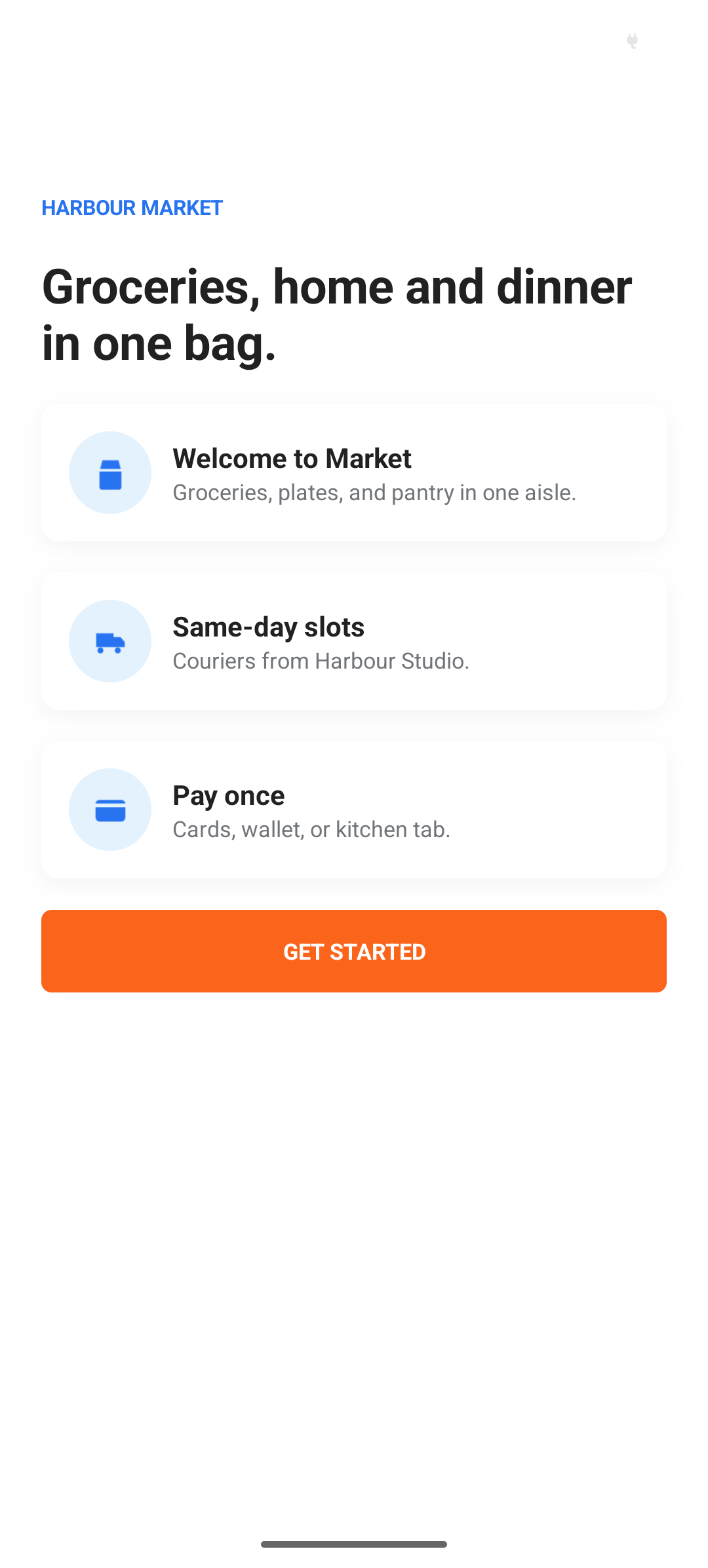
  • Harbour Market welcome — groceries, home, and dinner in one bag
    Welcome
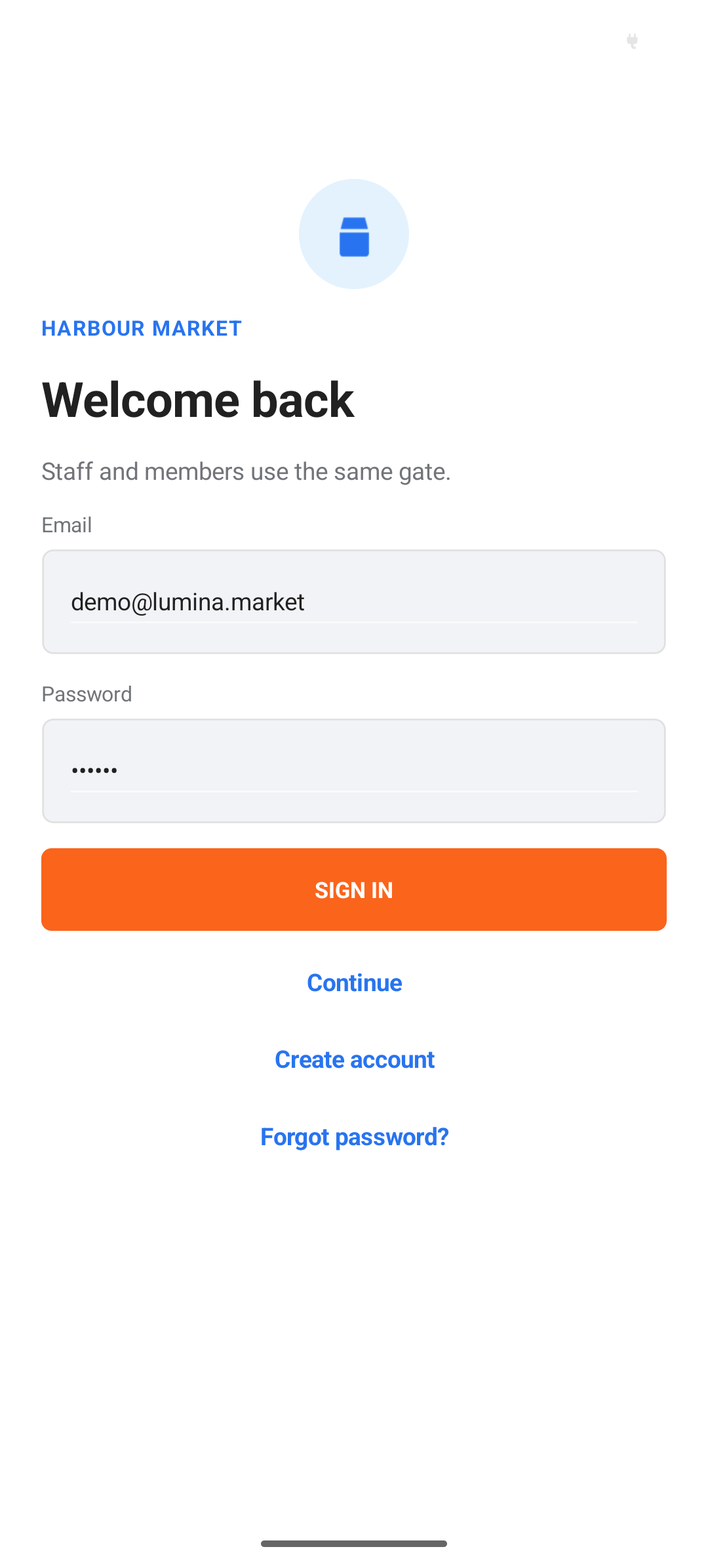
  • Harbour Market sign-in for staff and members
    Sign in
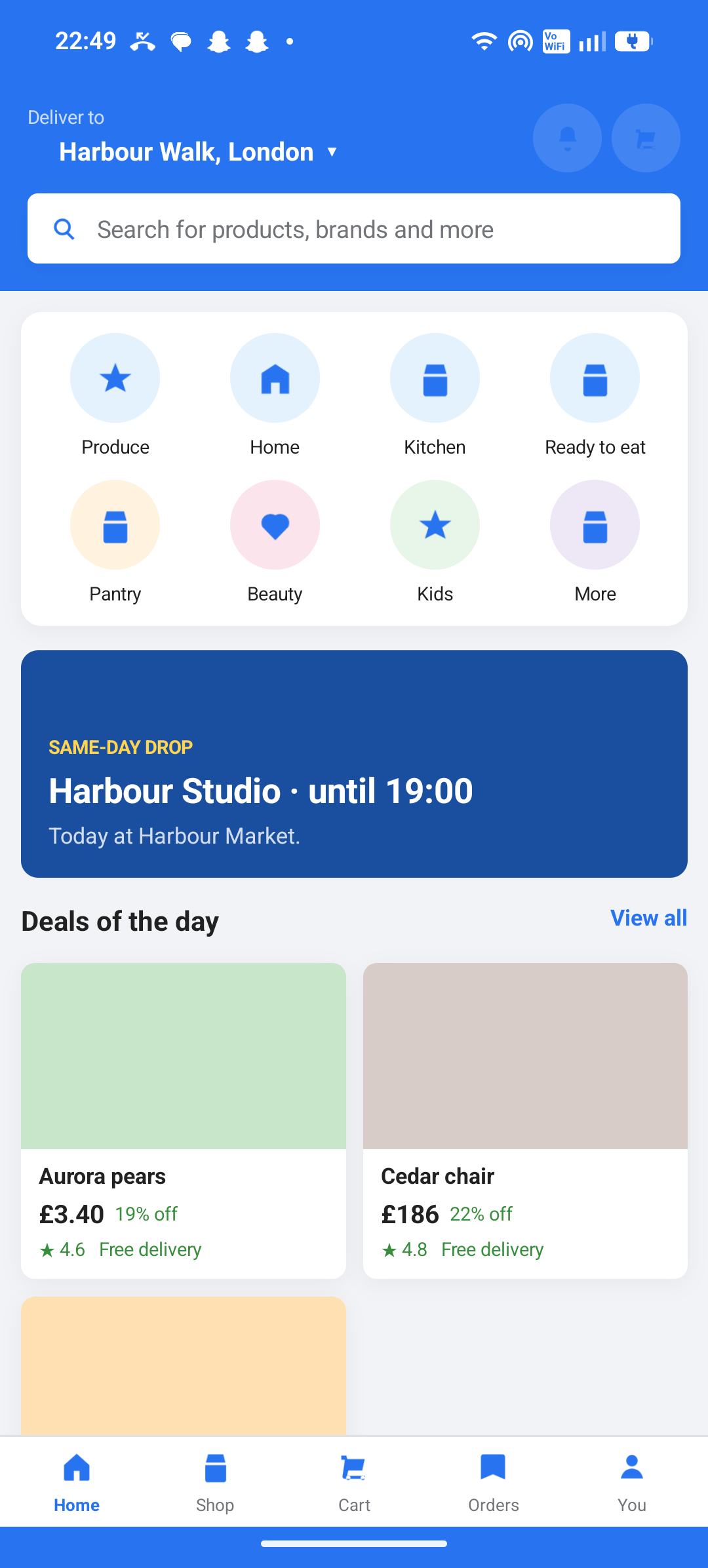
  • Harbour Market home with aisles, same-day drop, and deals
    Home
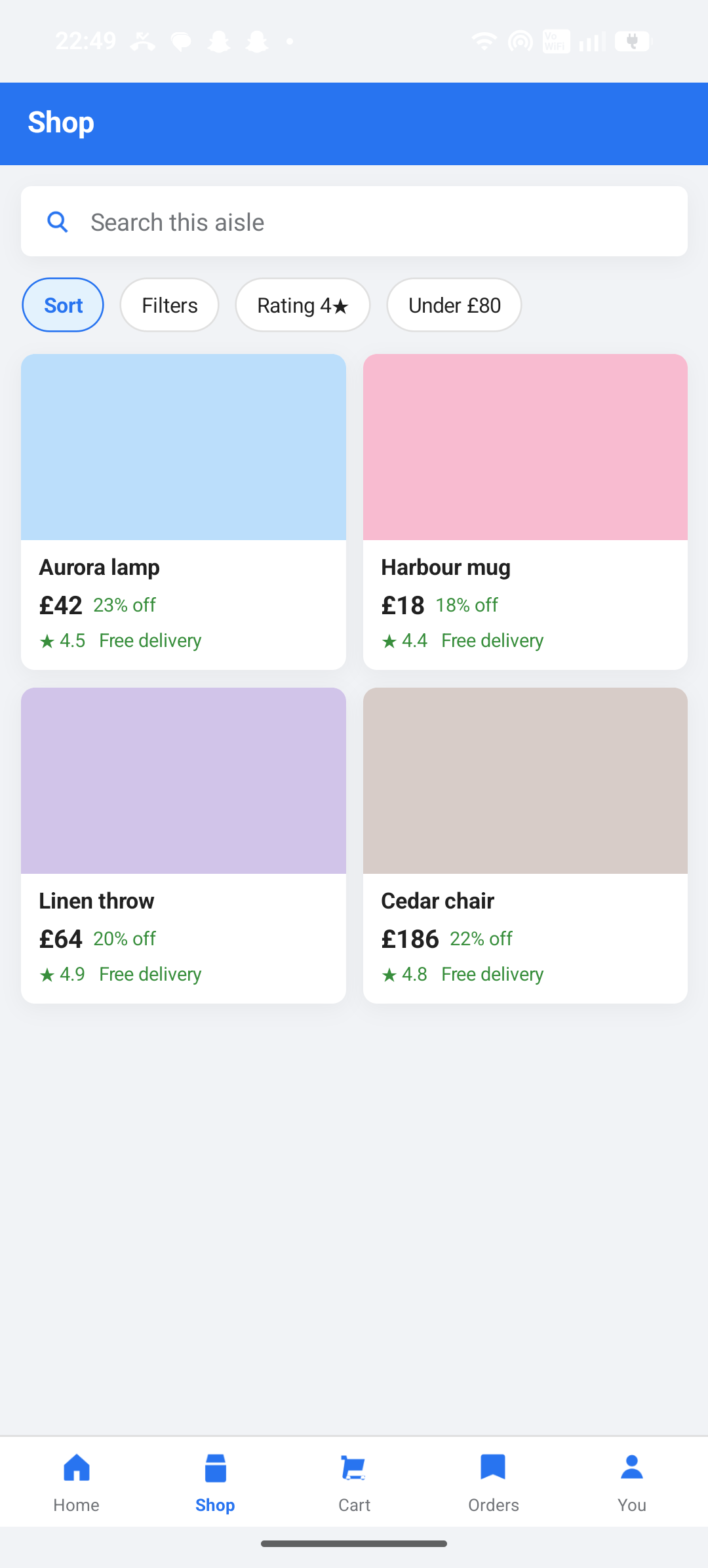
  • Harbour Market shop grid with filters and free delivery
    Shop
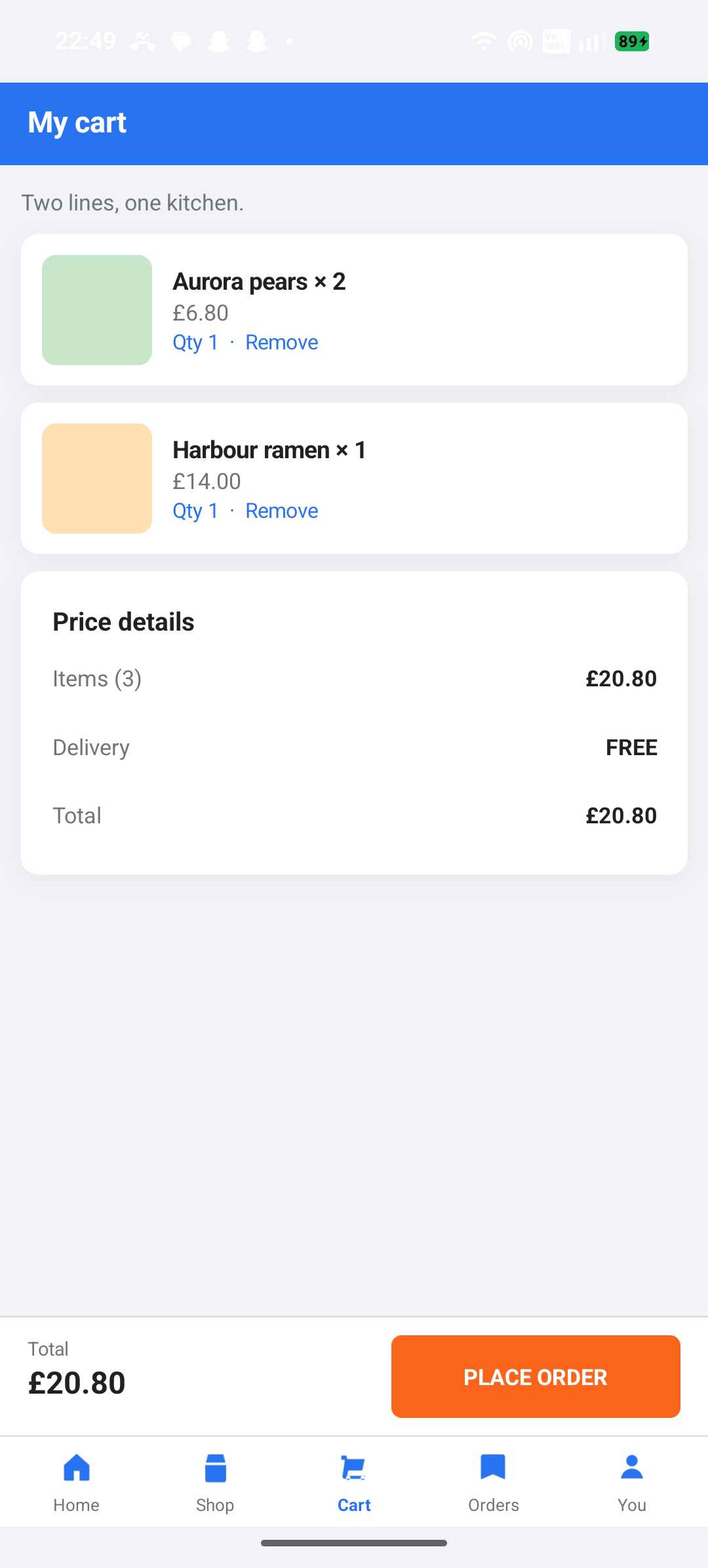
  • Harbour Market cart with price details and place order
    Cart
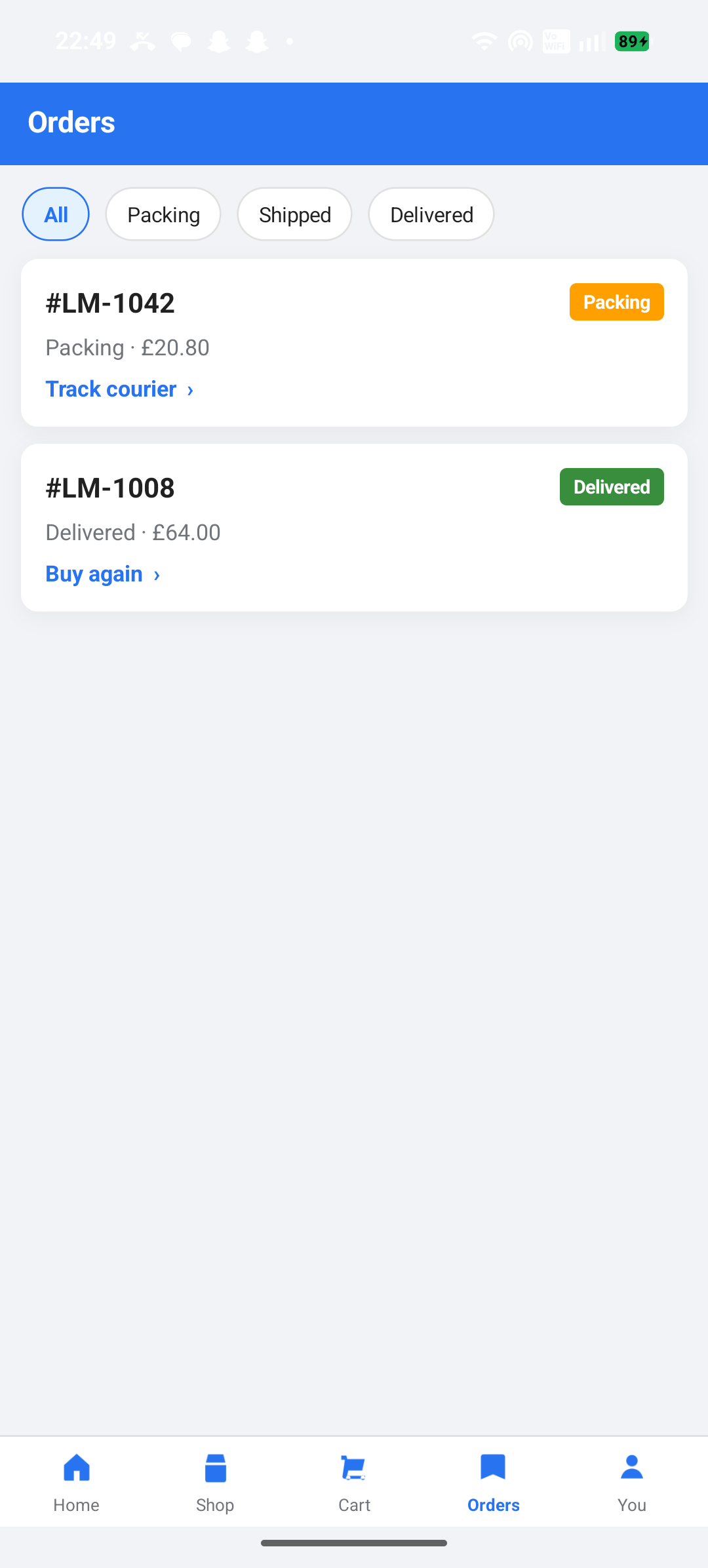
  • Harbour Market orders with packing and delivered states
    Orders
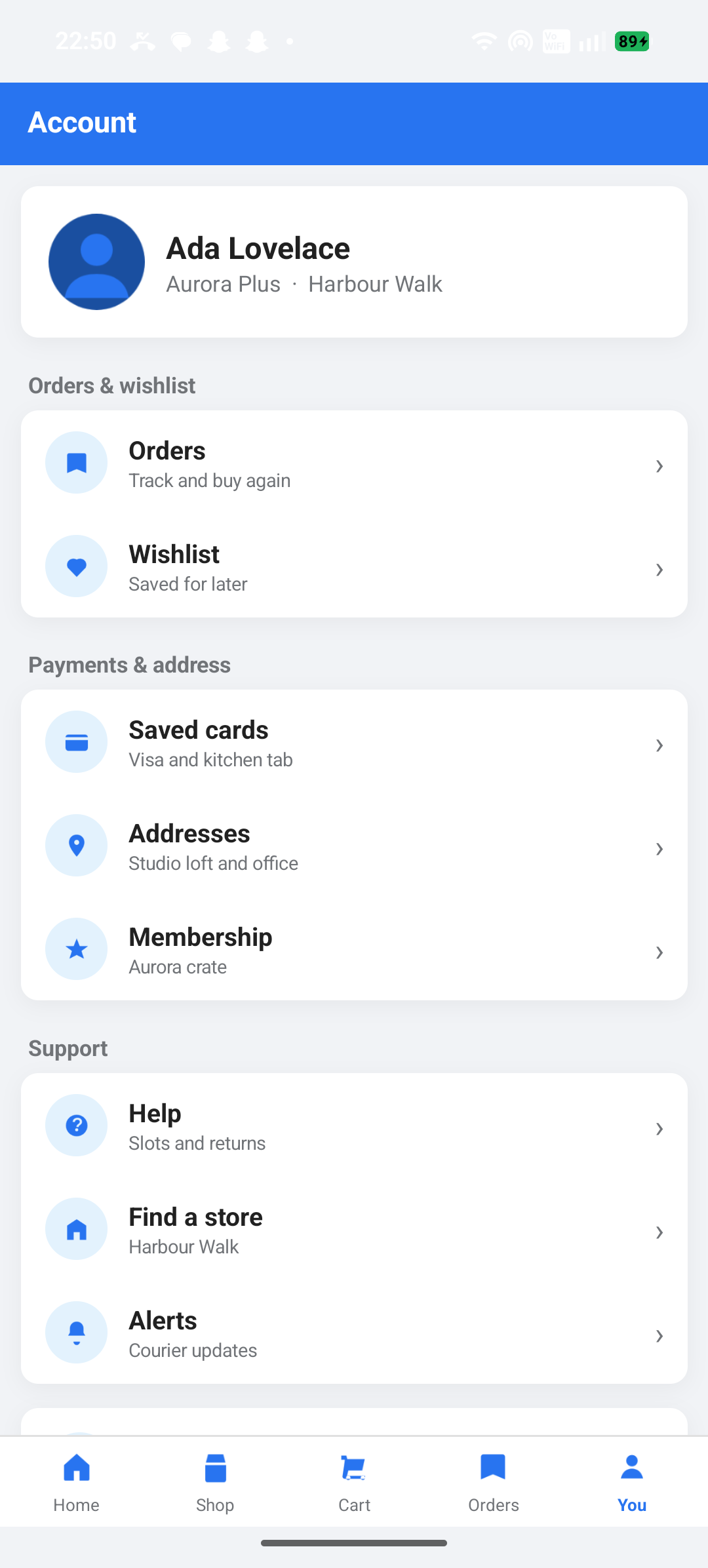
  • Harbour Market account, wishlist, and saved cards
    Account

02 · 27 screens

Nuvexa Clinic

Harbour Clinic

Doctors, labs, and a quiet care record

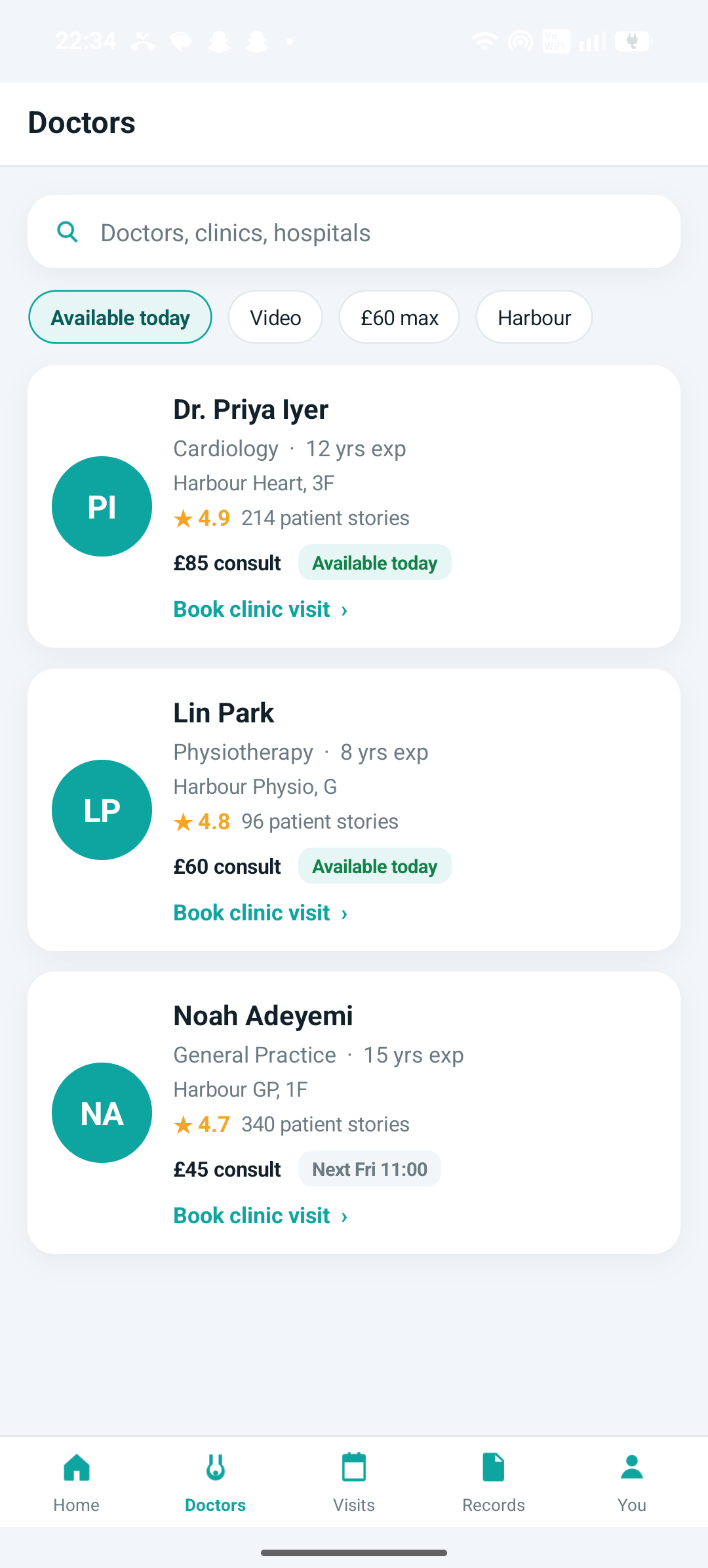
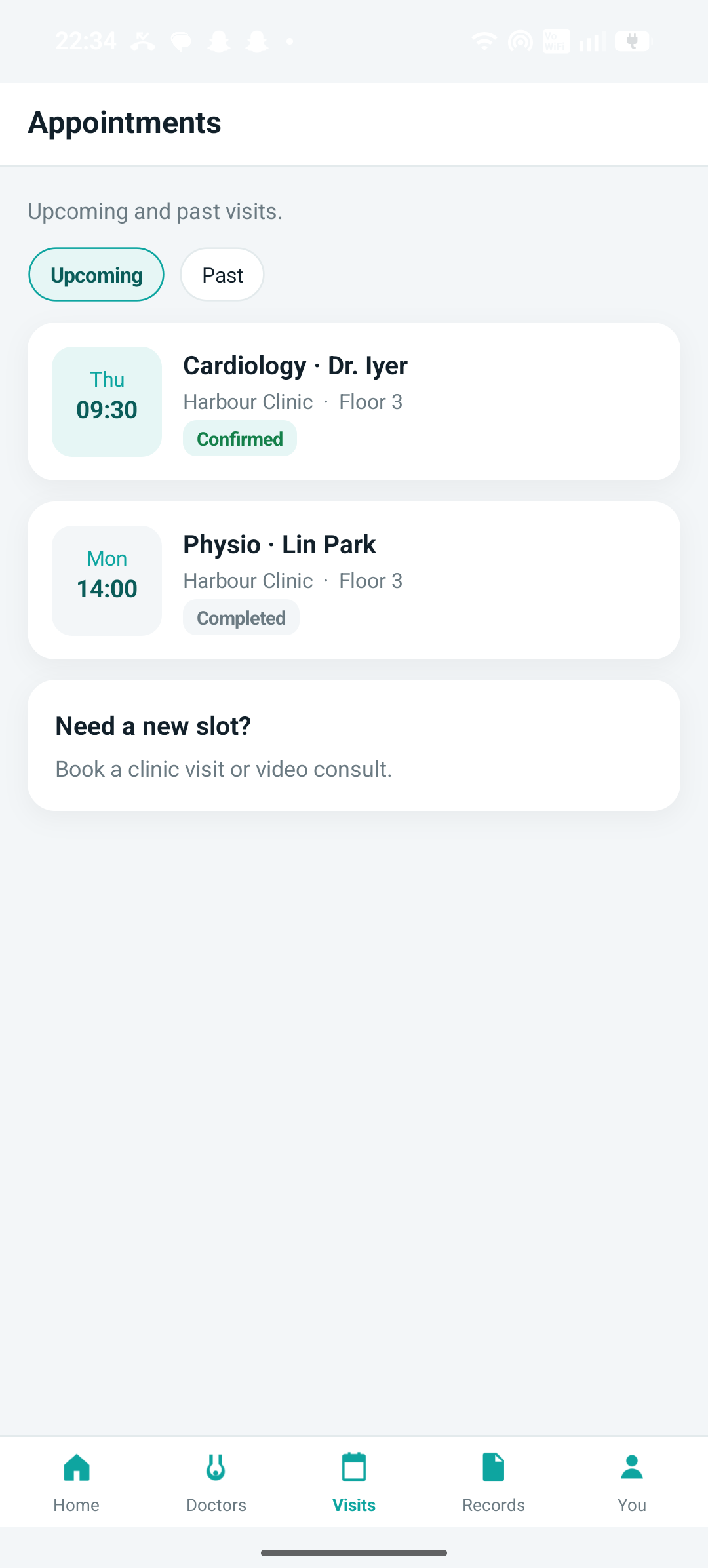
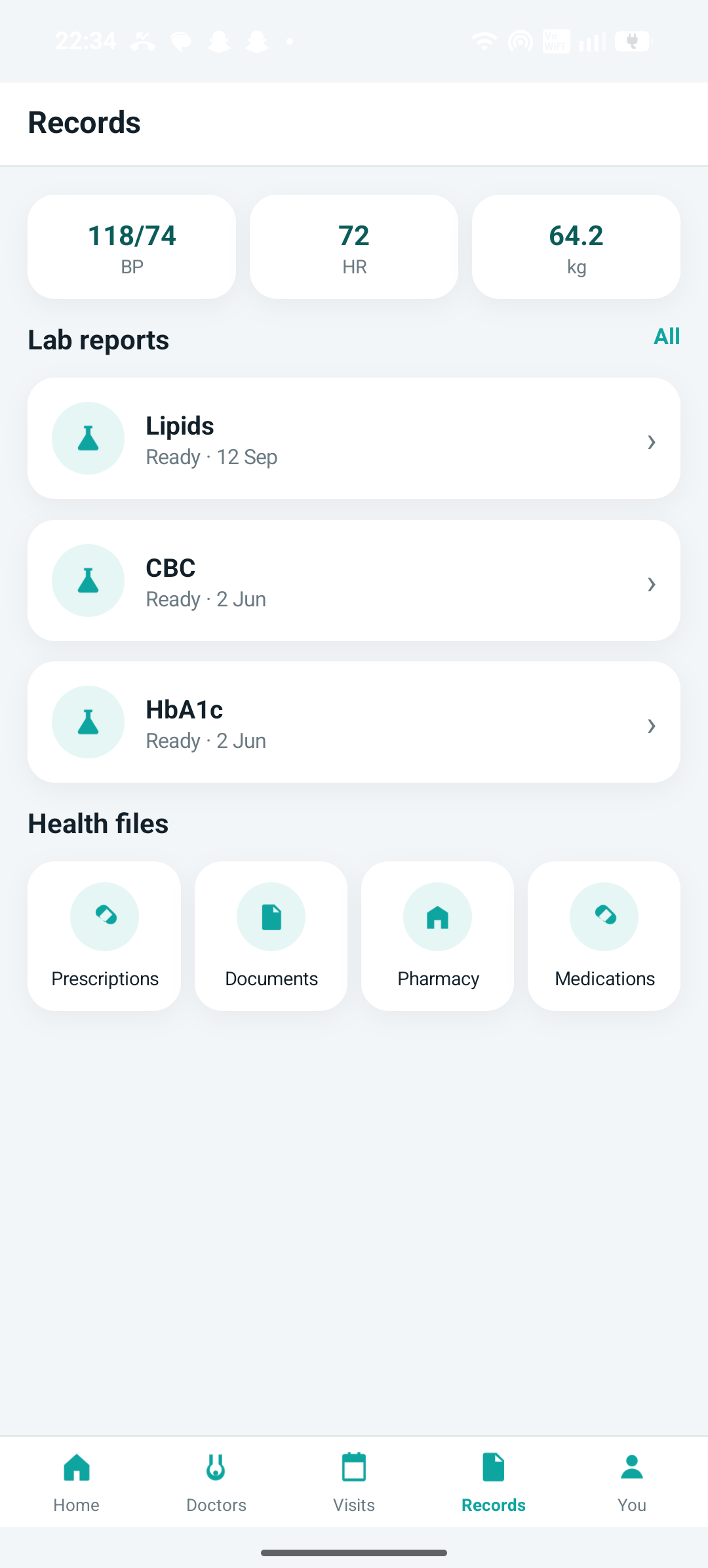
A Harbour clinic day: find a cardiologist, book Dr. Iyer, read a lipid panel, and sit in a video room. Care records, scripts, and invoices live in one file — the same LocalStore / NuvexaDB seed every other head uses.

View source
  • Clinician directory and booking
  • Upcoming and past visits
  • Lab reports and vitals
  • Pharmacy and medications
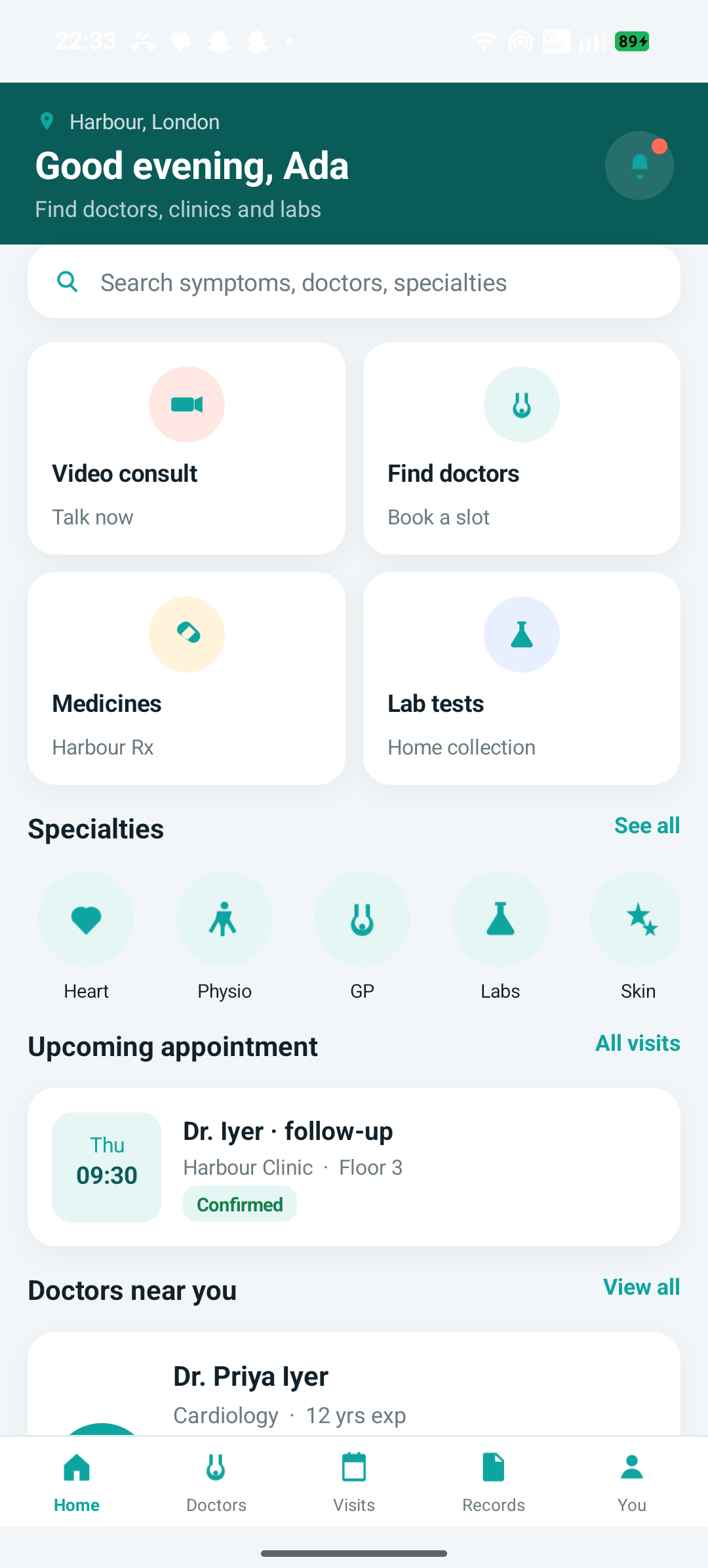
  • Harbour Clinic home with video consult, doctors, medicines, and labs
    Home
  • Harbour Clinic doctor directory with ratings and consult fees
    Doctors
  • Harbour Clinic upcoming and past appointments
    Visits
  • Harbour Clinic records with vitals, labs, and health files
    Records
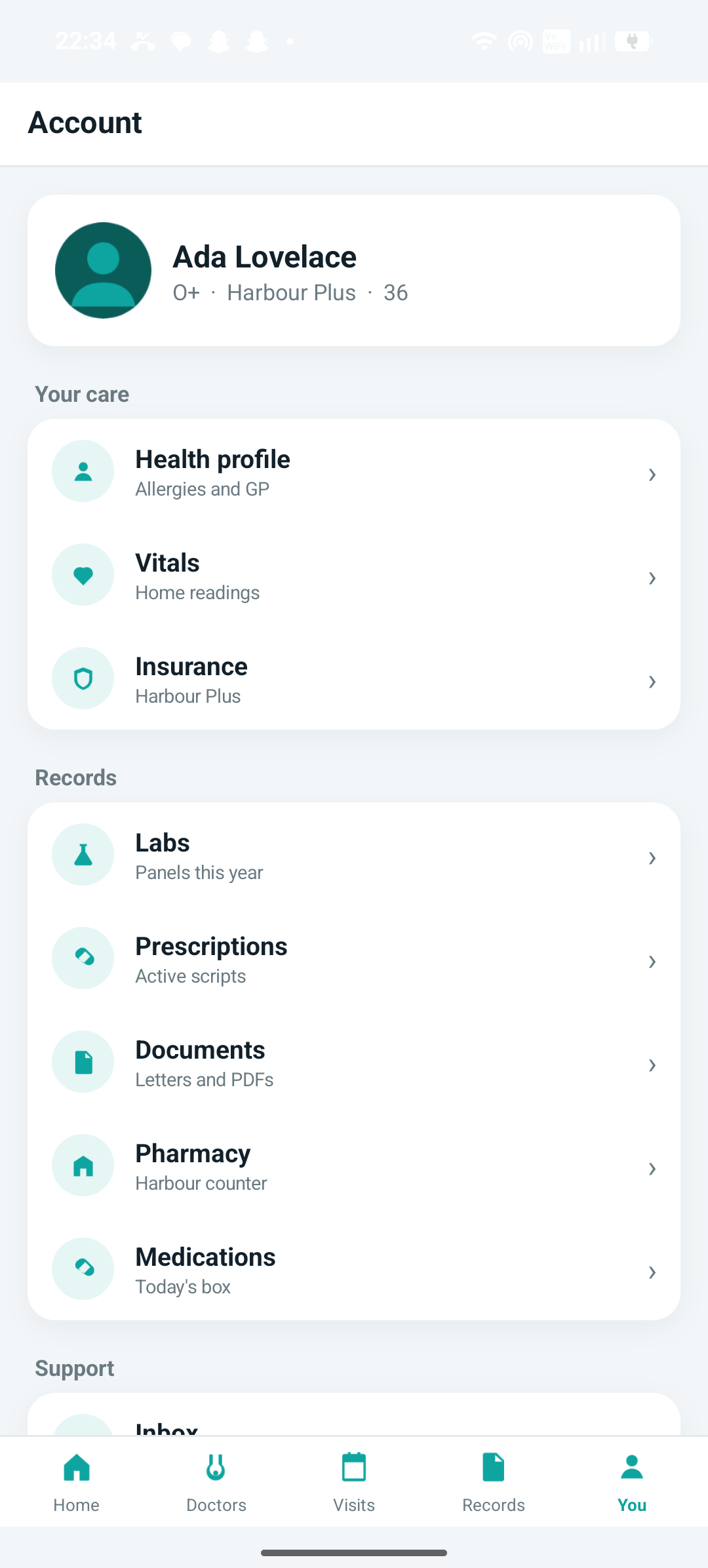
  • Harbour Clinic account, insurance, and care profile
    You

03 · 24 screens

Harbor Field

Harbour Fields

Jobs, NFC assets, and an offline queue

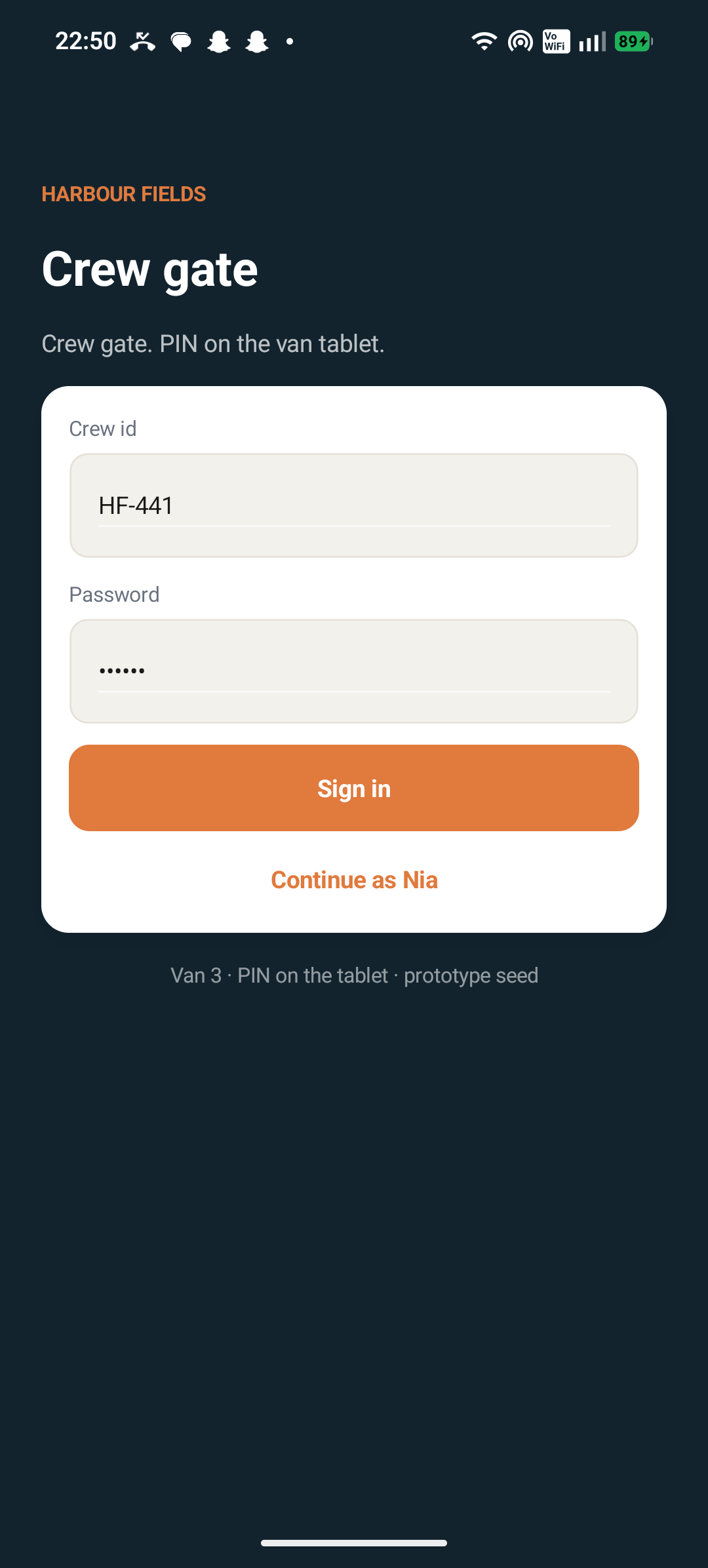
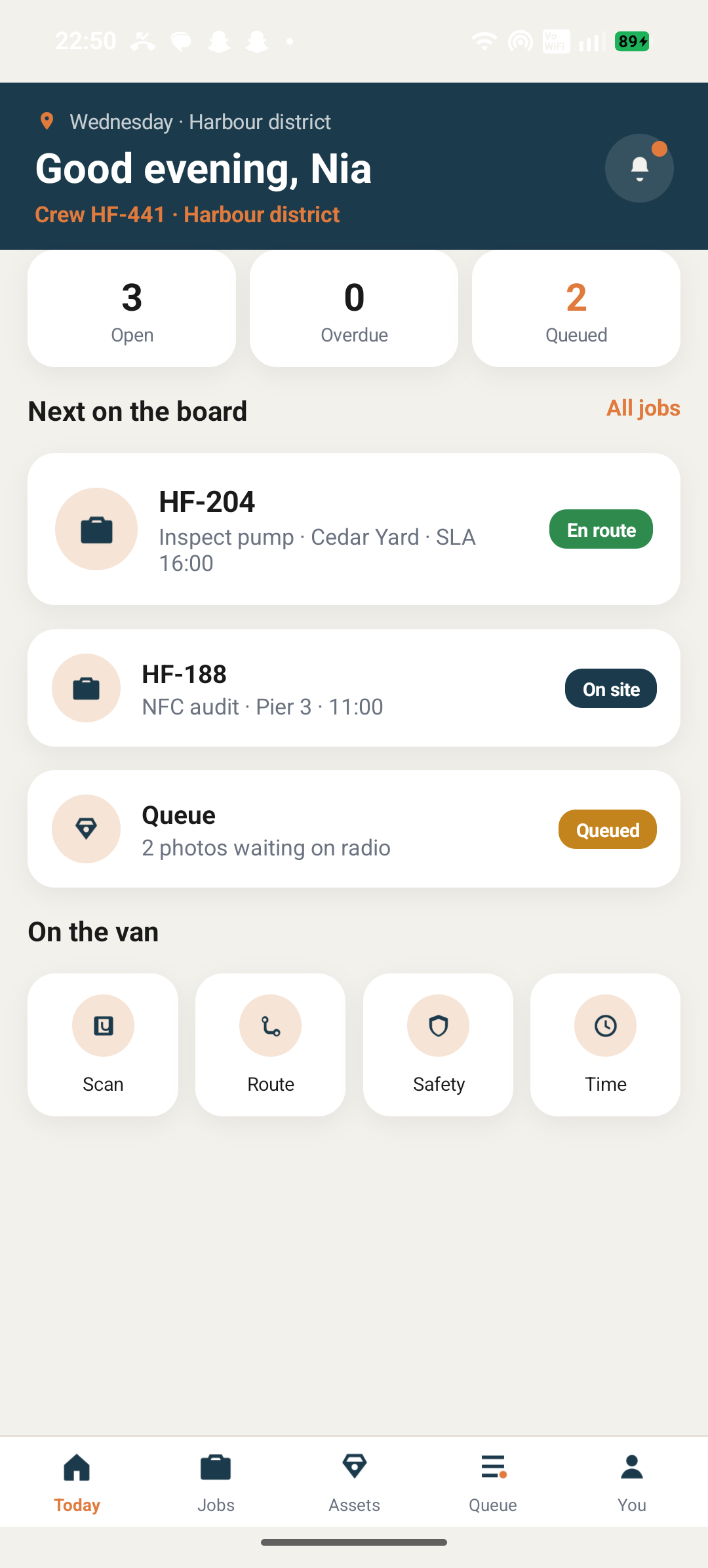
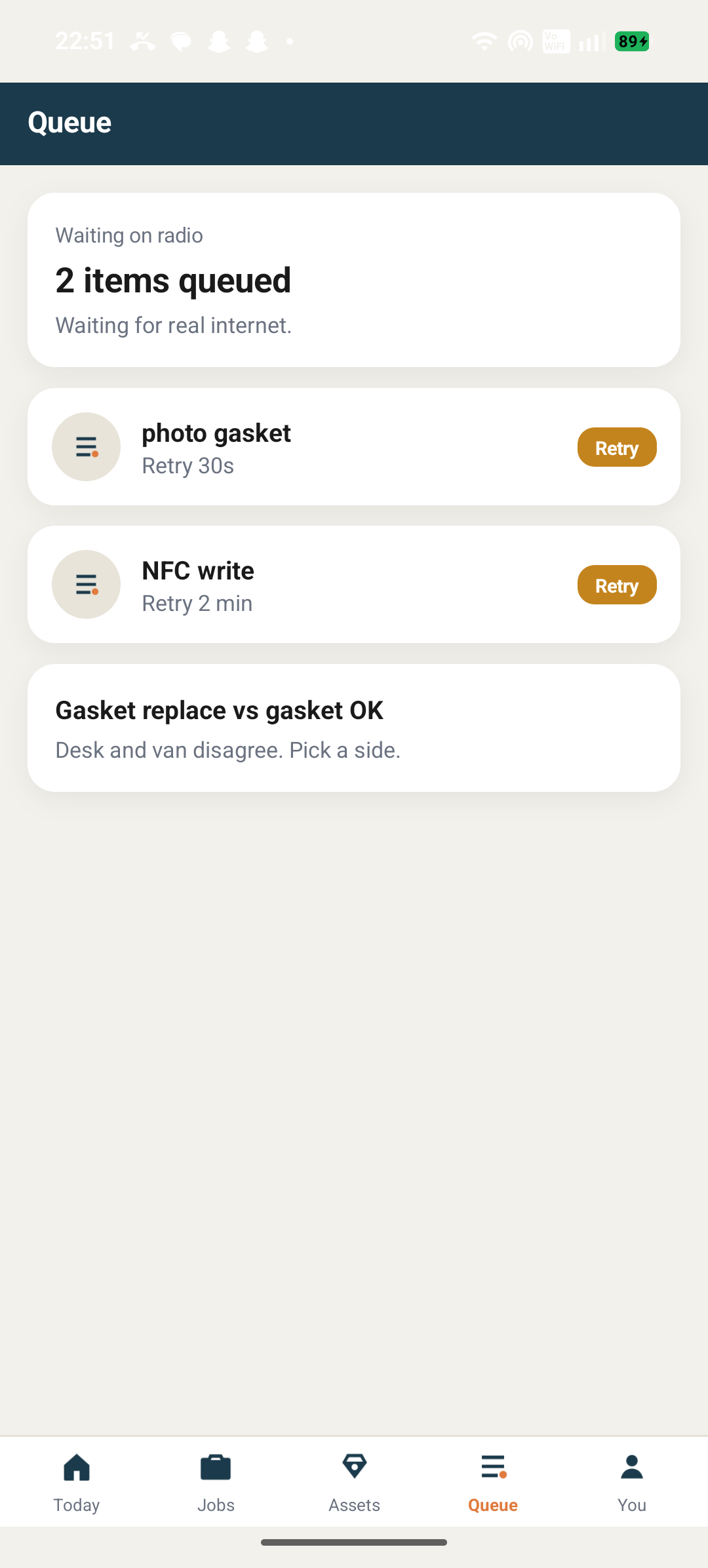
A van-tablet day in the Harbour district. Inspect a storm pump, write an NFC tag, queue photos until the radio comes back, print a Zebra receipt, and resolve a local-vs-desk conflict. This is the head that shows field work without a live sync server.

View source
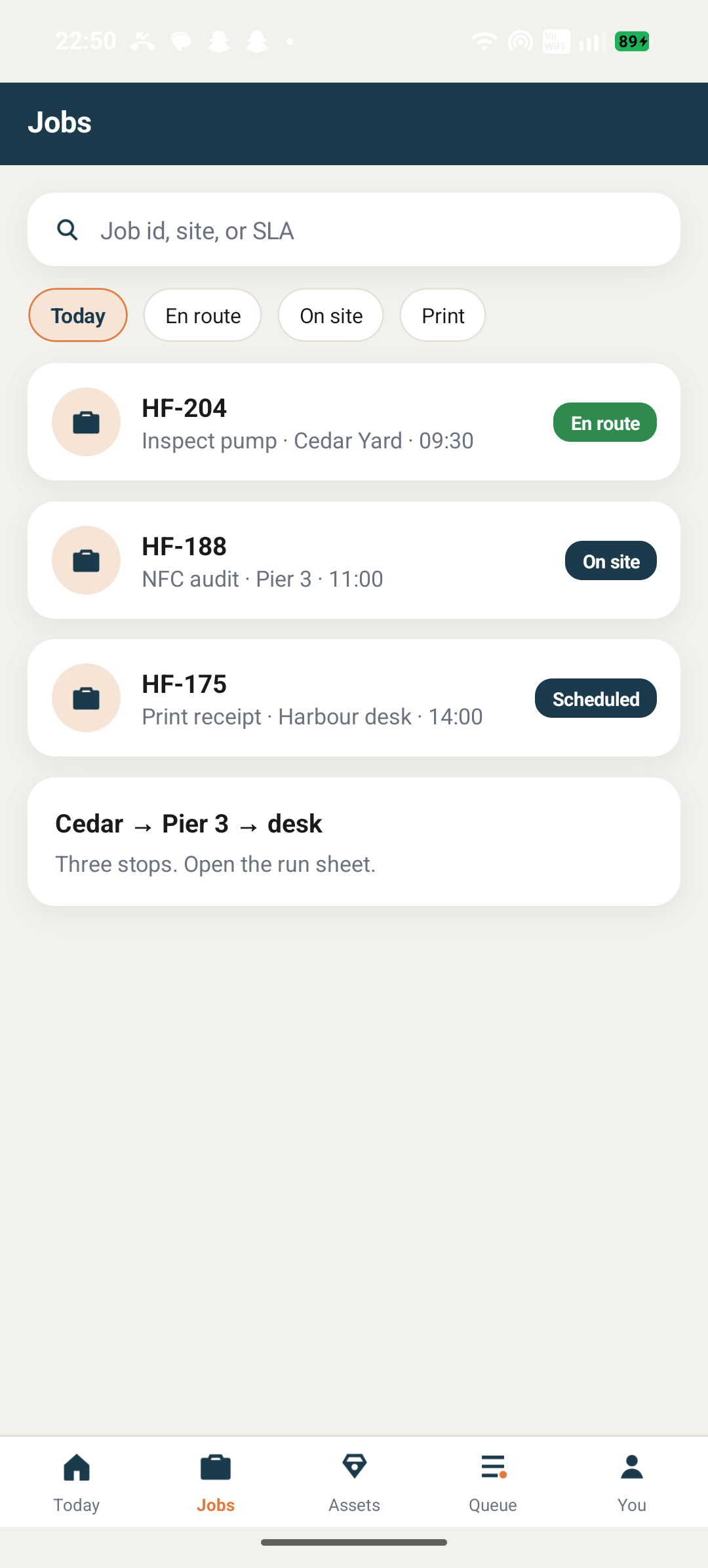
  • Job board and SLA
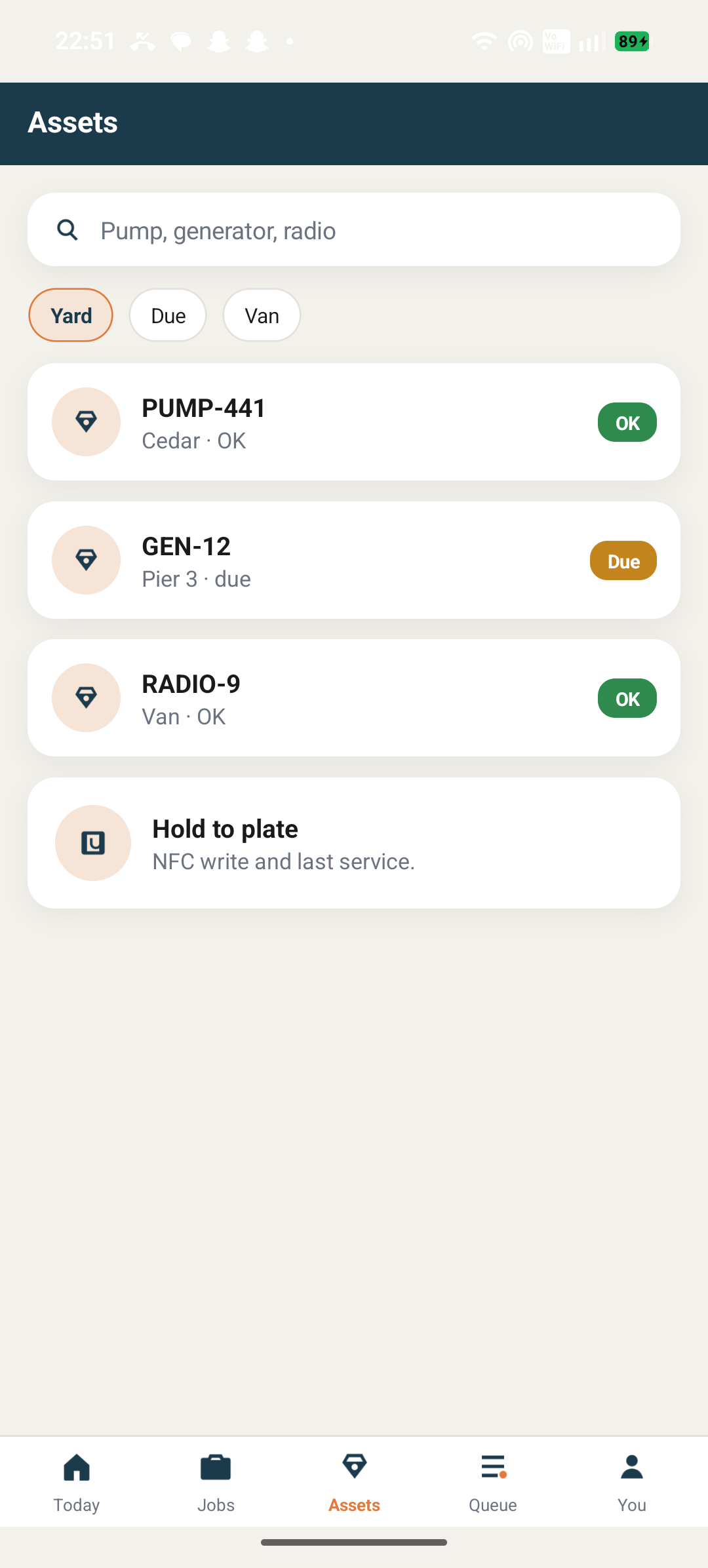
  • NFC asset register
  • Offline photo and write queue
  • Safety, timesheet, and print
  • Harbour Fields crew gate sign-in on the van tablet
    Crew gate
  • Harbour Fields today board with open jobs and van tools
    Today
  • Harbour Fields job list with en route and on site states
    Jobs
  • Harbour Fields asset register for pumps, generators, and radios
    Assets
  • Harbour Fields offline queue waiting for radio
    Queue
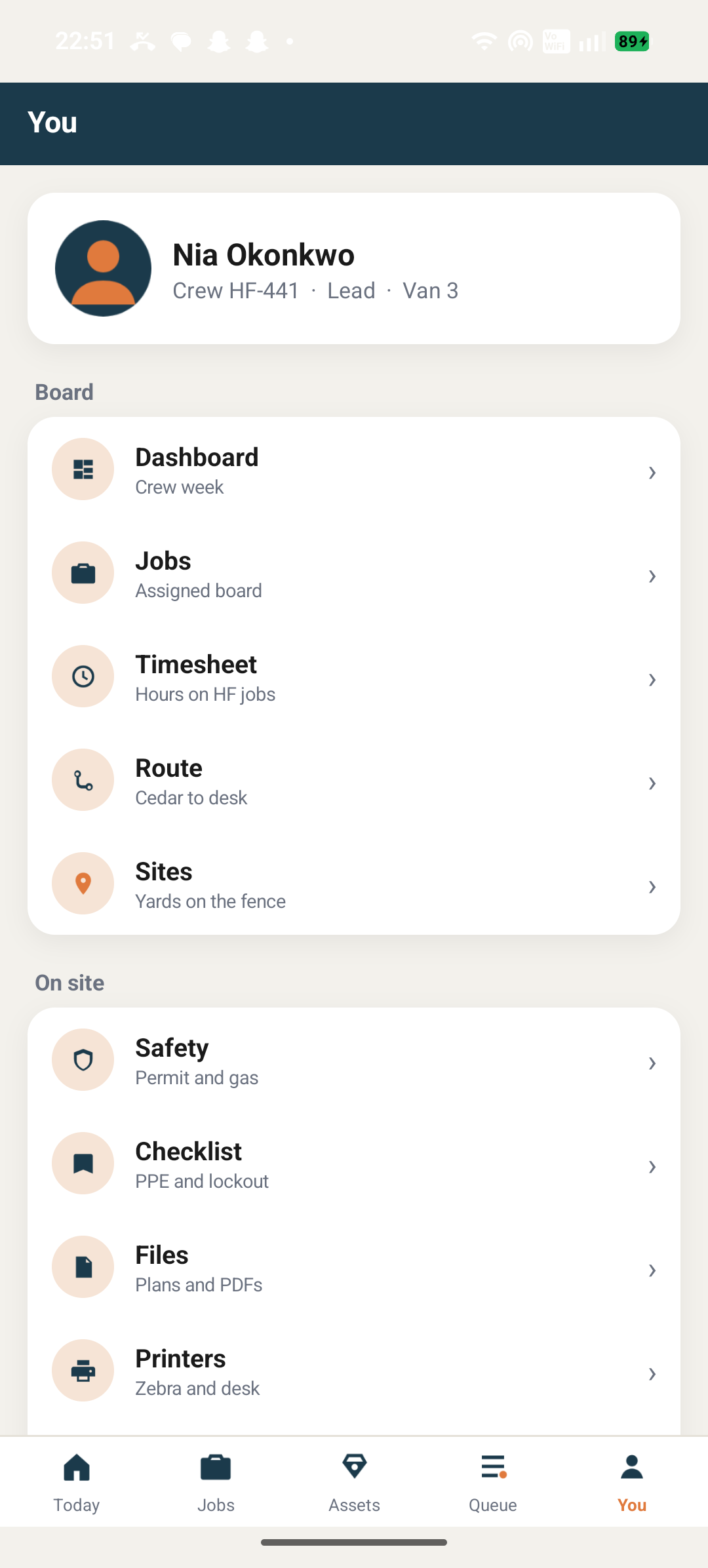
  • Harbour Fields crew profile, timesheet, and safety
    You

04 · 24 screens

Aether Bank

Aether Bank

Sterling books, cards, and a gated dashboard

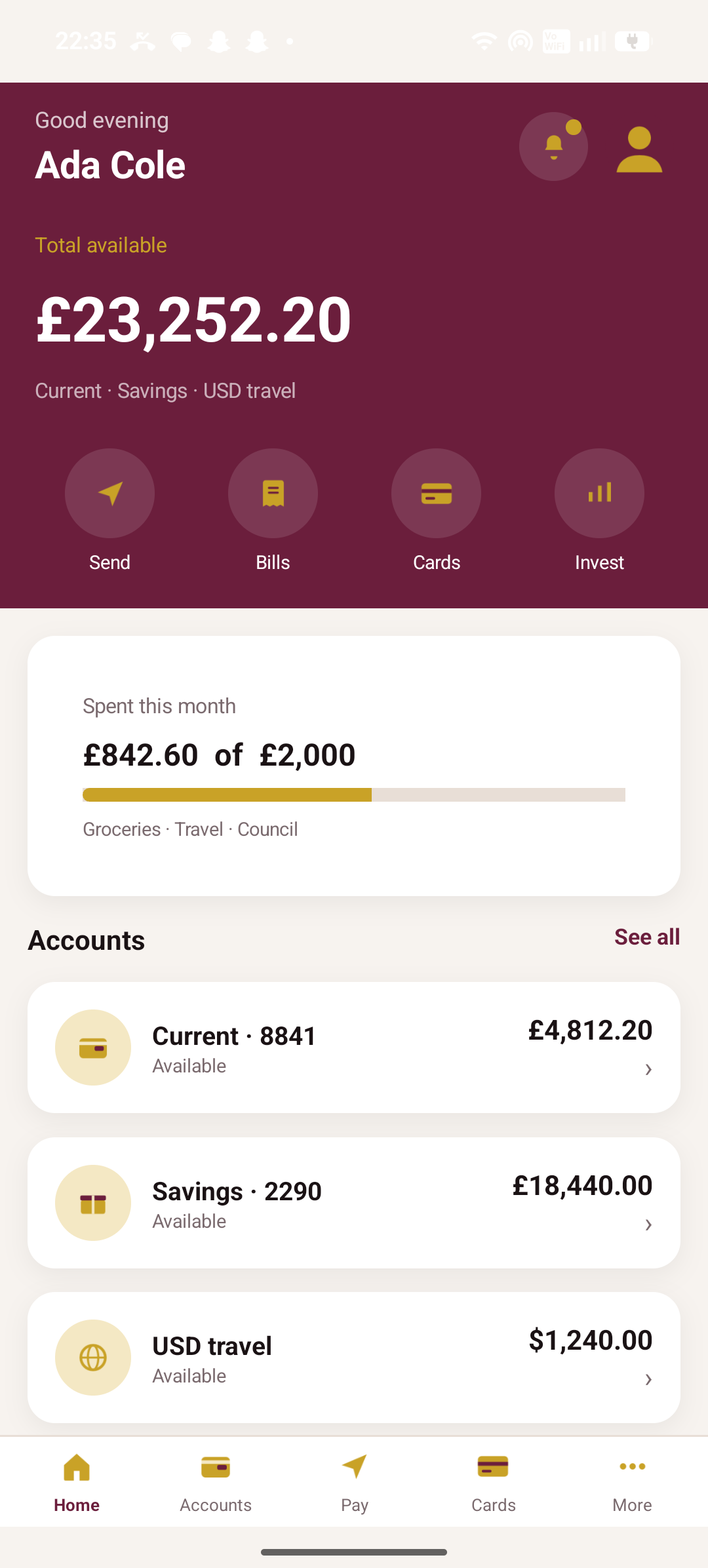
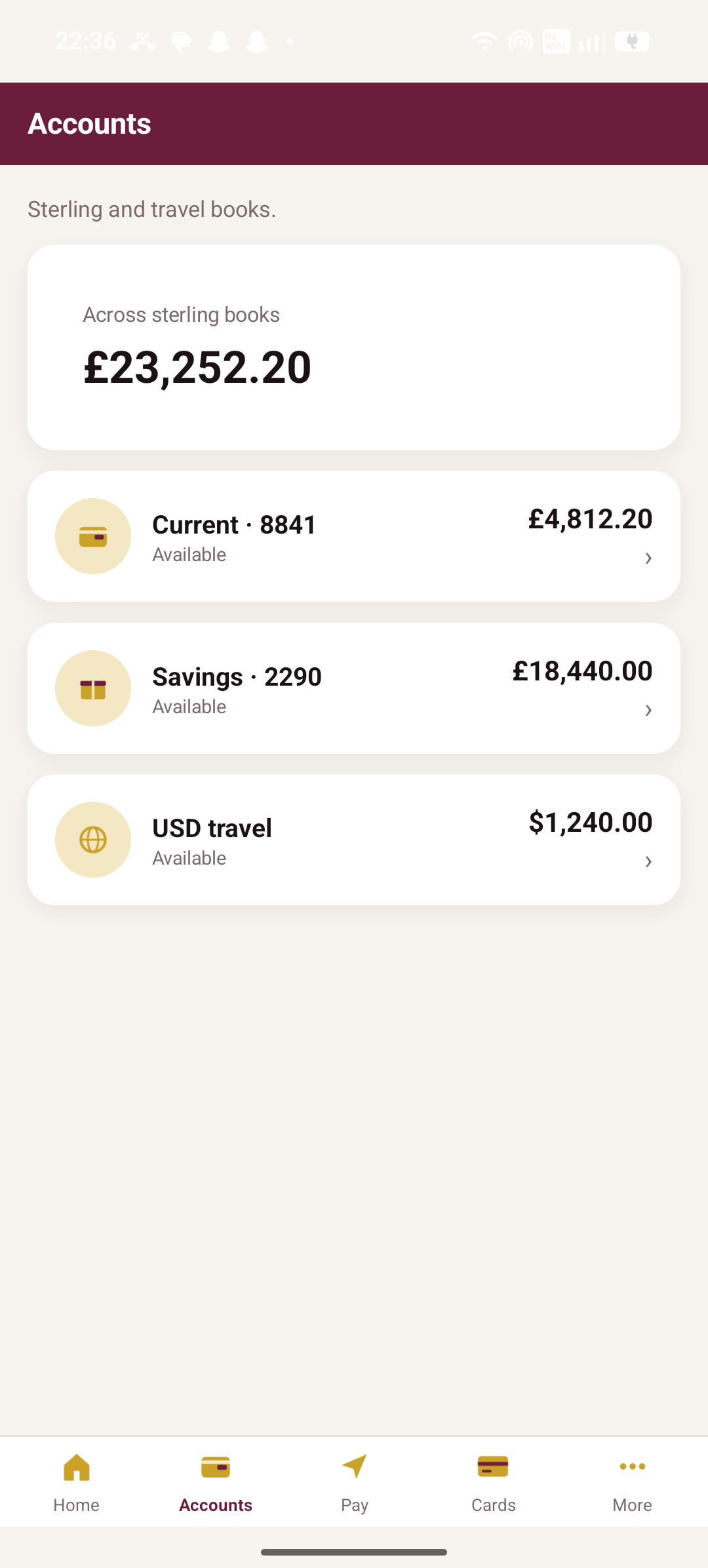
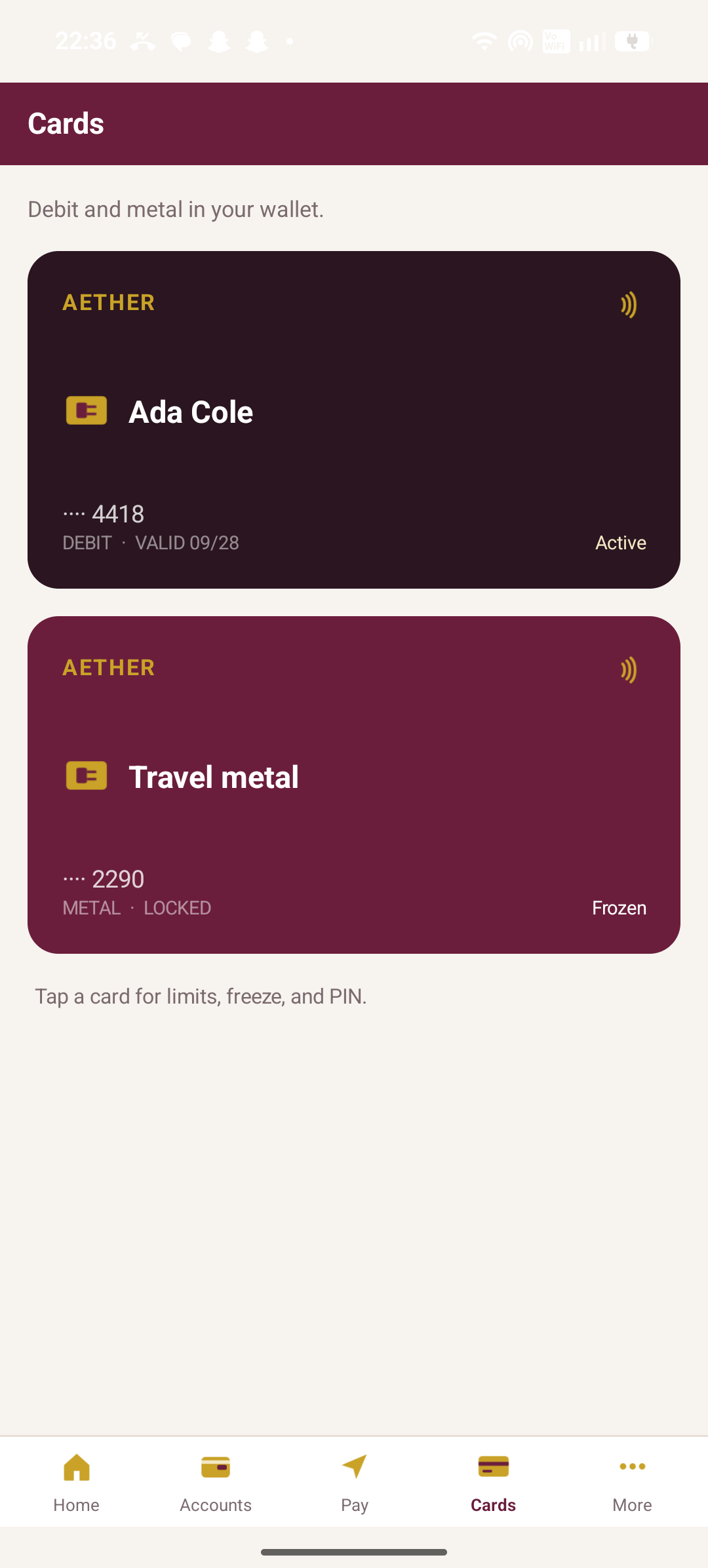
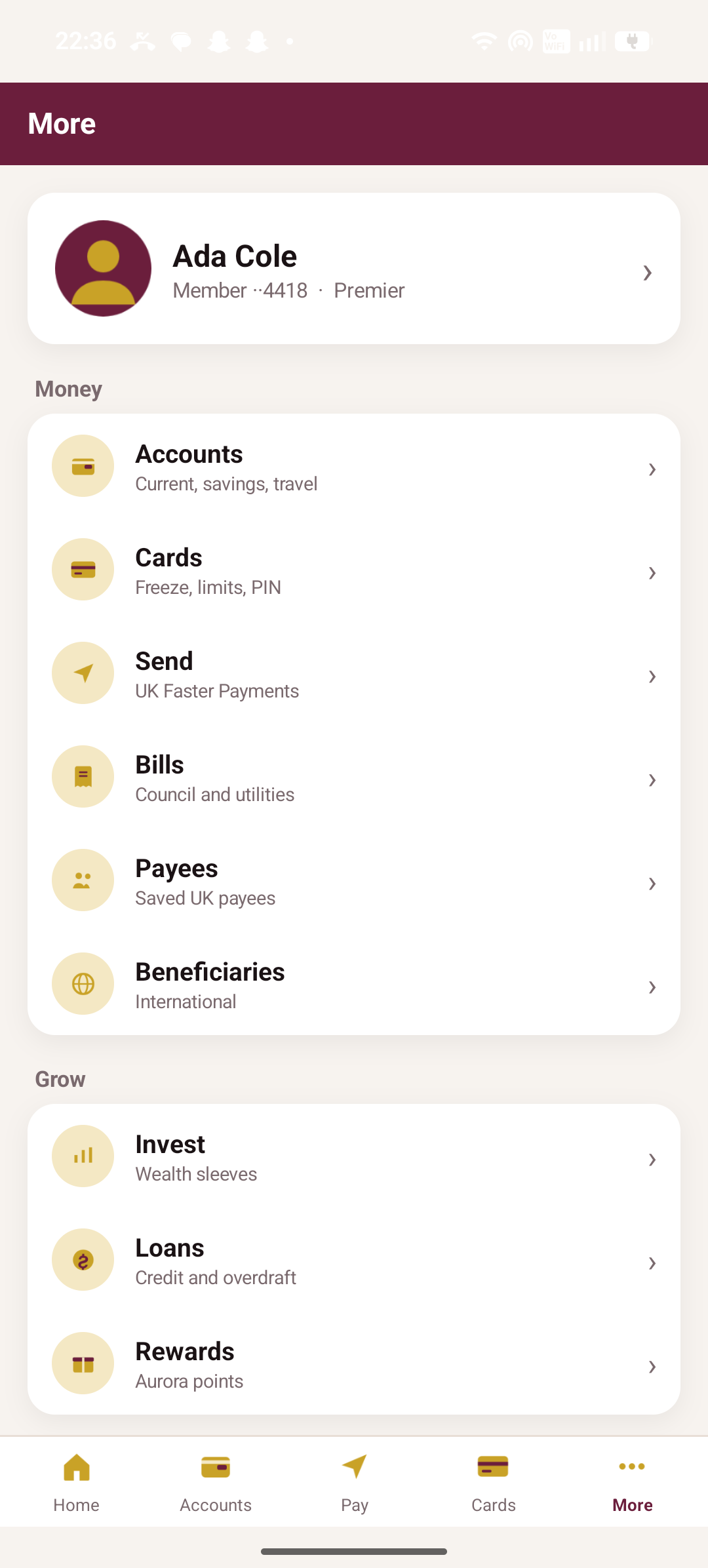
Retail banking on burgundy and gold. Ada’s current, savings, and USD travel books, an aurora debit, a frozen travel metal, and a PIN that gates the dashboard. Wealth sleeves and KYC sit next to bills and international payees — a serious-looking bank on the same MVVMExpress maps as Market.

View source
  • Accounts and monthly spend
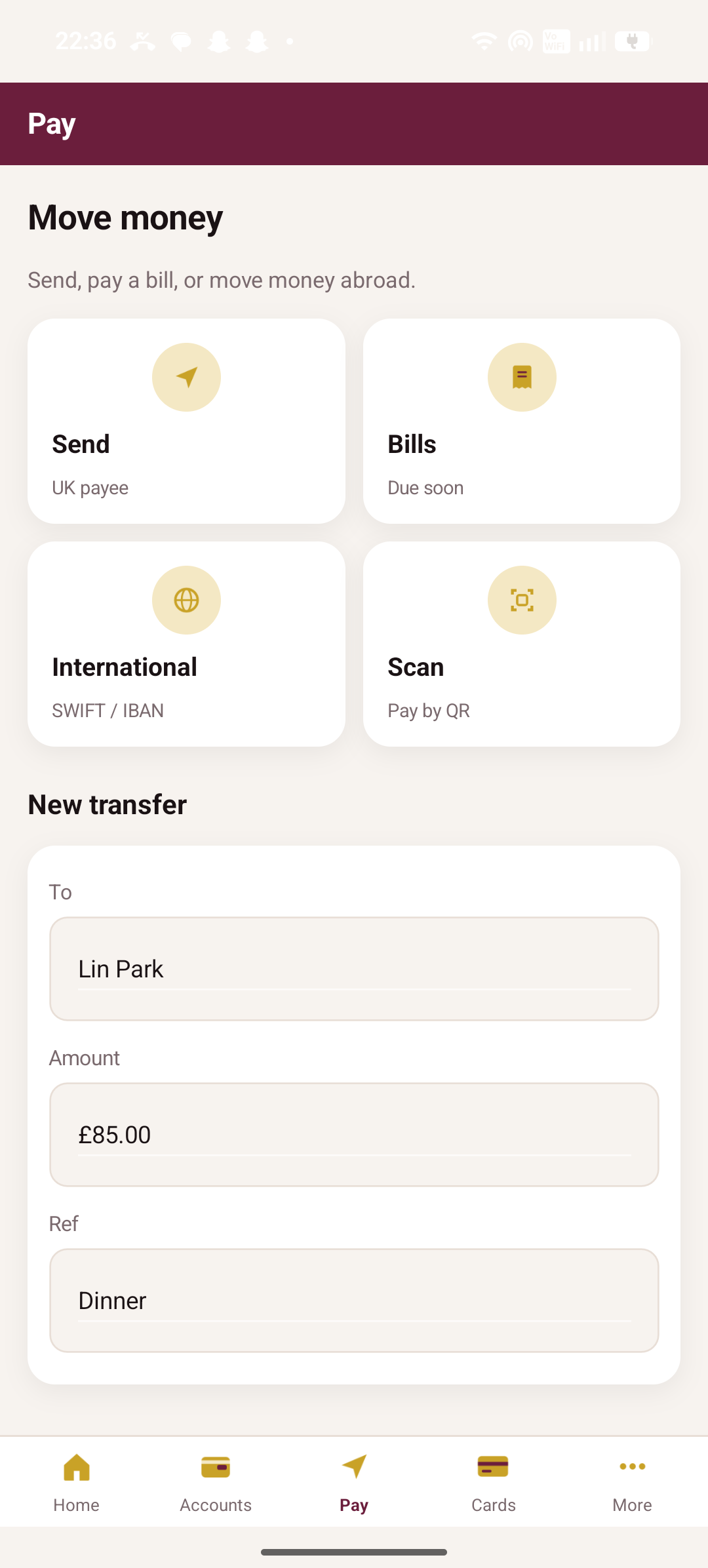
  • Send, bills, SWIFT / IBAN, QR
  • Debit and travel metal cards
  • App lock / Face ID chrome
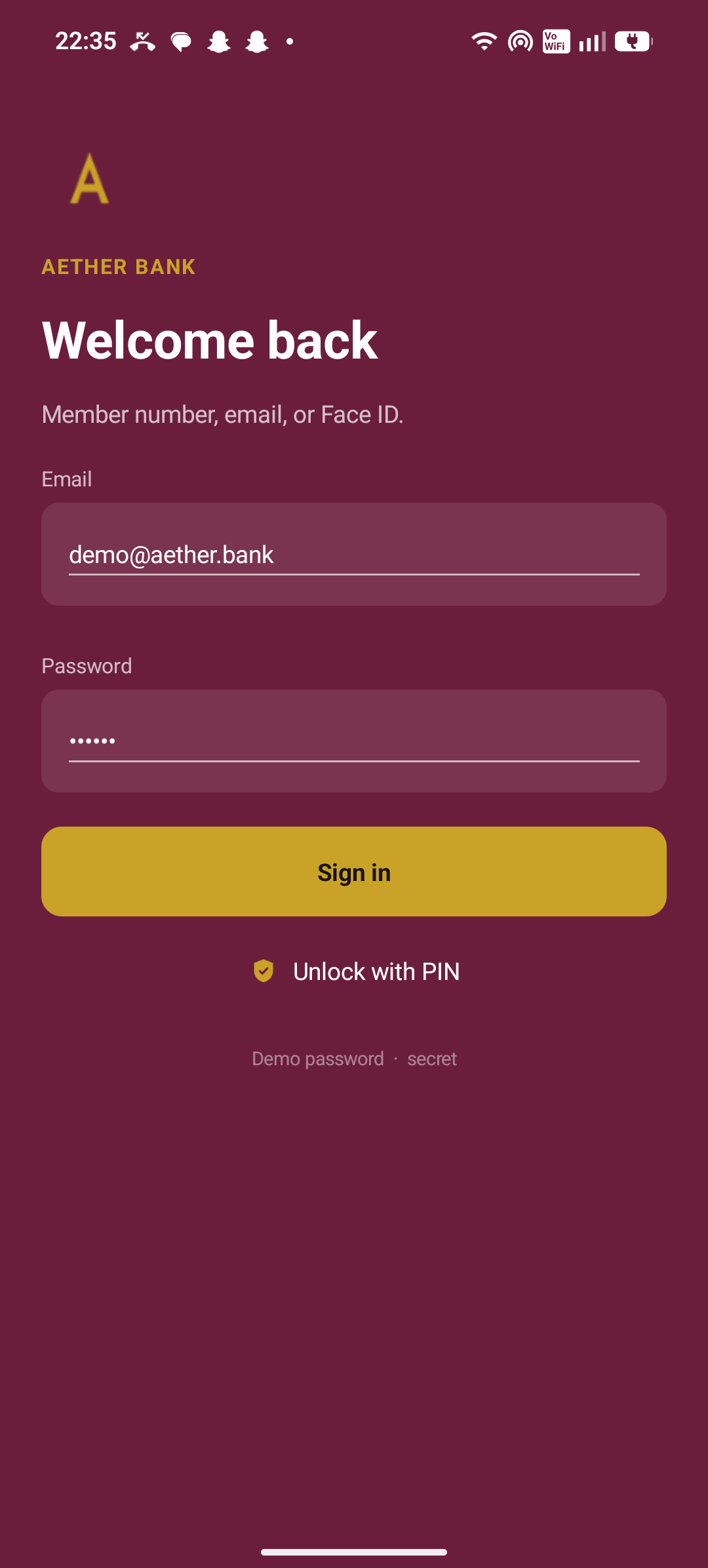
  • Aether Bank welcome-back sign-in with PIN unlock
    Sign in
  • Aether Bank home with available balance and sterling books
    Home
  • Aether Bank current, savings, and USD travel accounts
    Accounts
  • Aether Bank pay hub for send, bills, international, and scan
    Pay
  • Aether Bank debit and frozen travel metal cards
    Cards
  • Aether Bank more menu for money and growth
    More

05 · 23 screens

Civic Pulse

Harbour Borough

Bins, buses, permits, and a resident pass

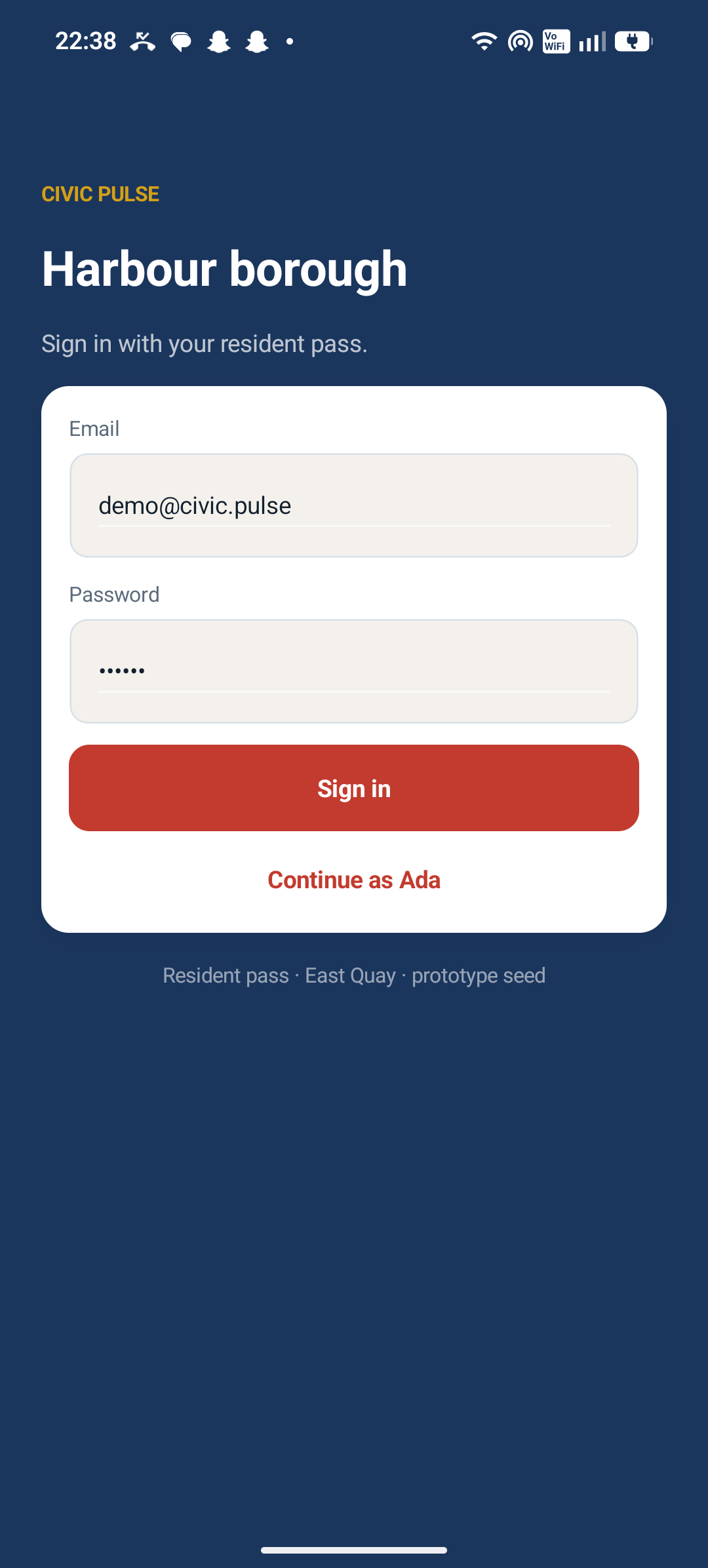
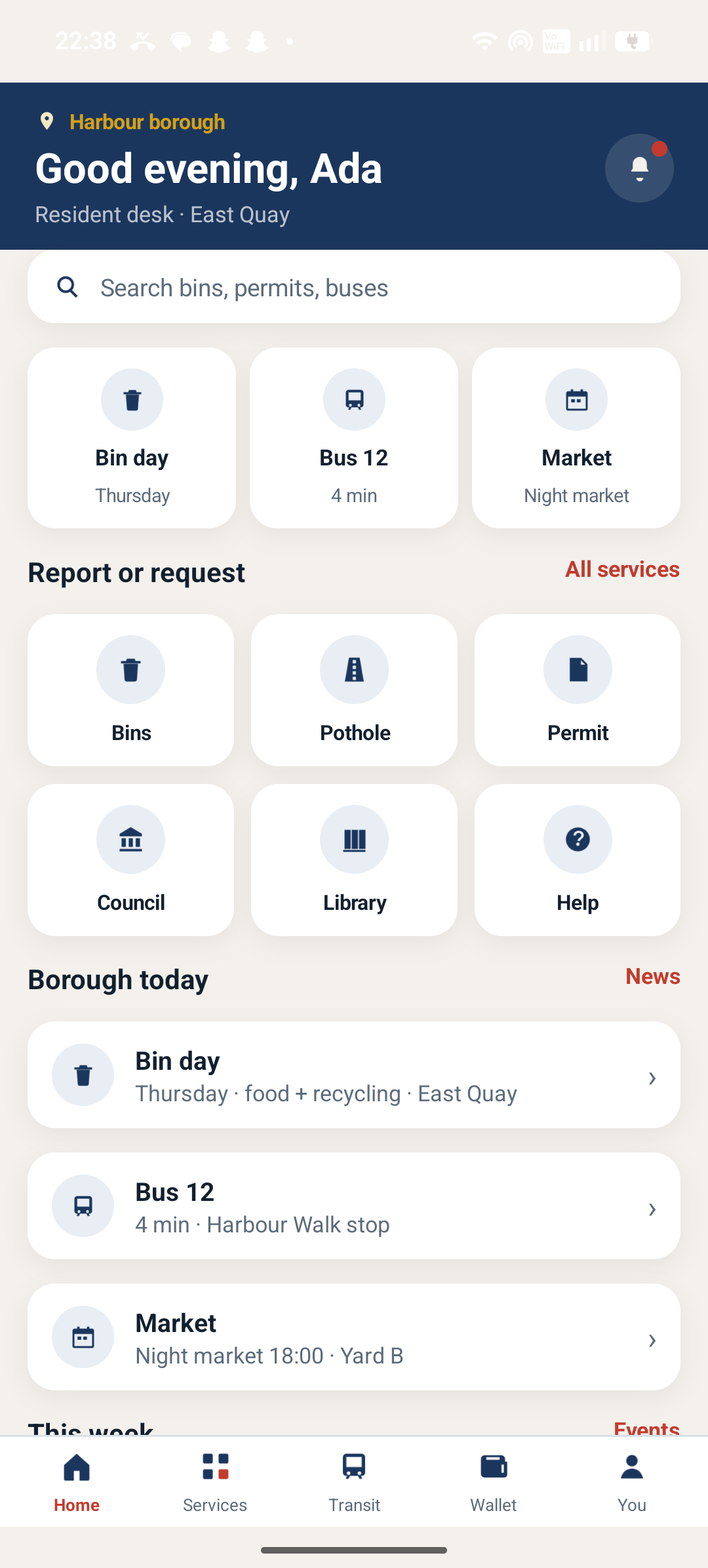
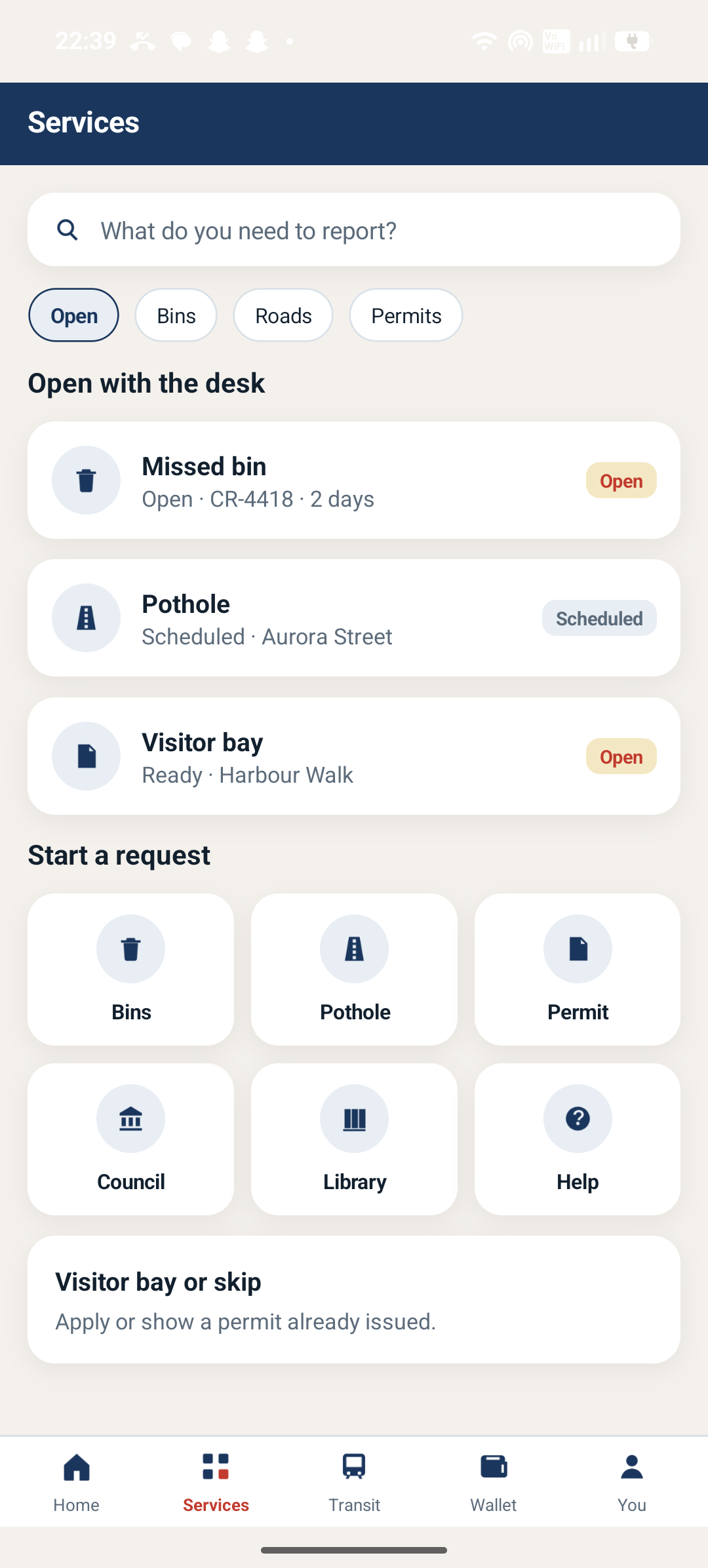
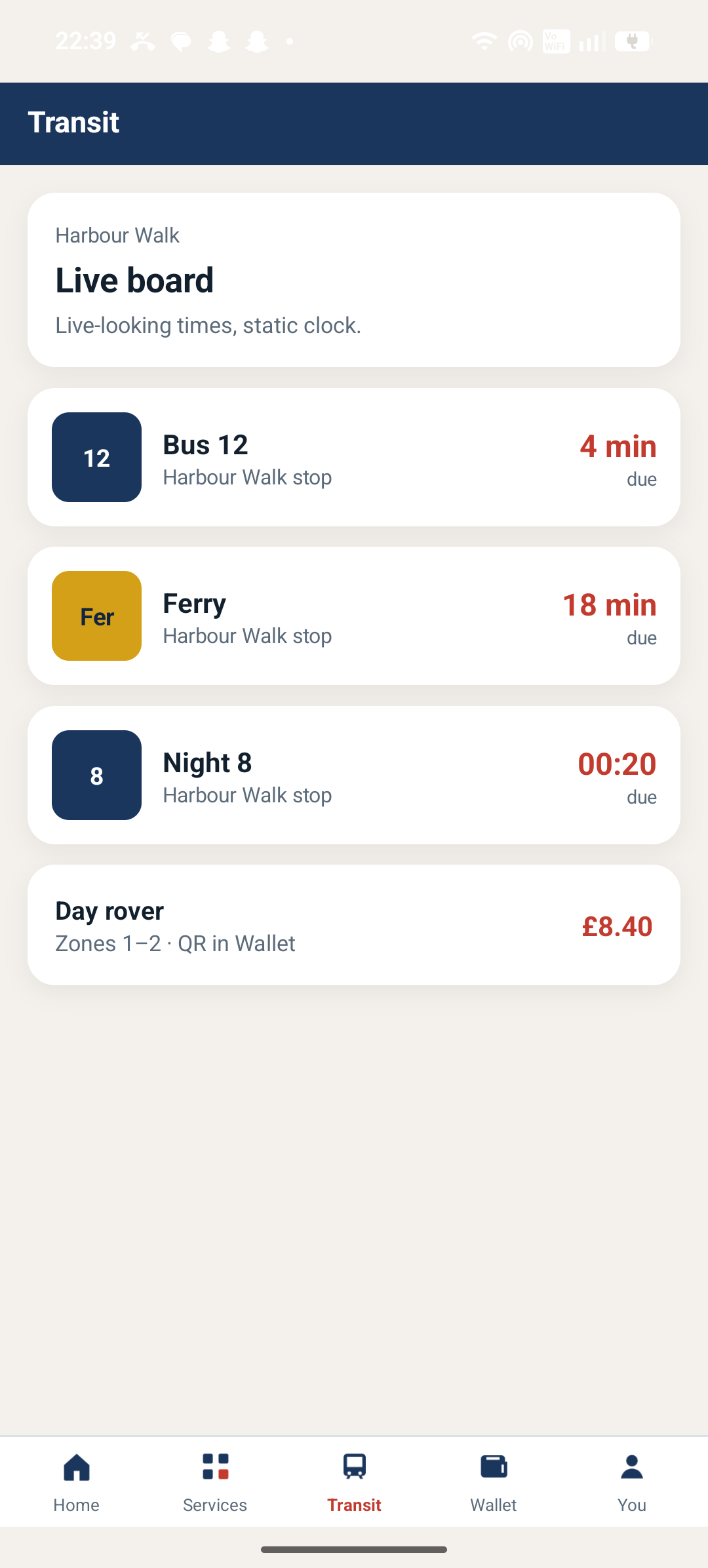
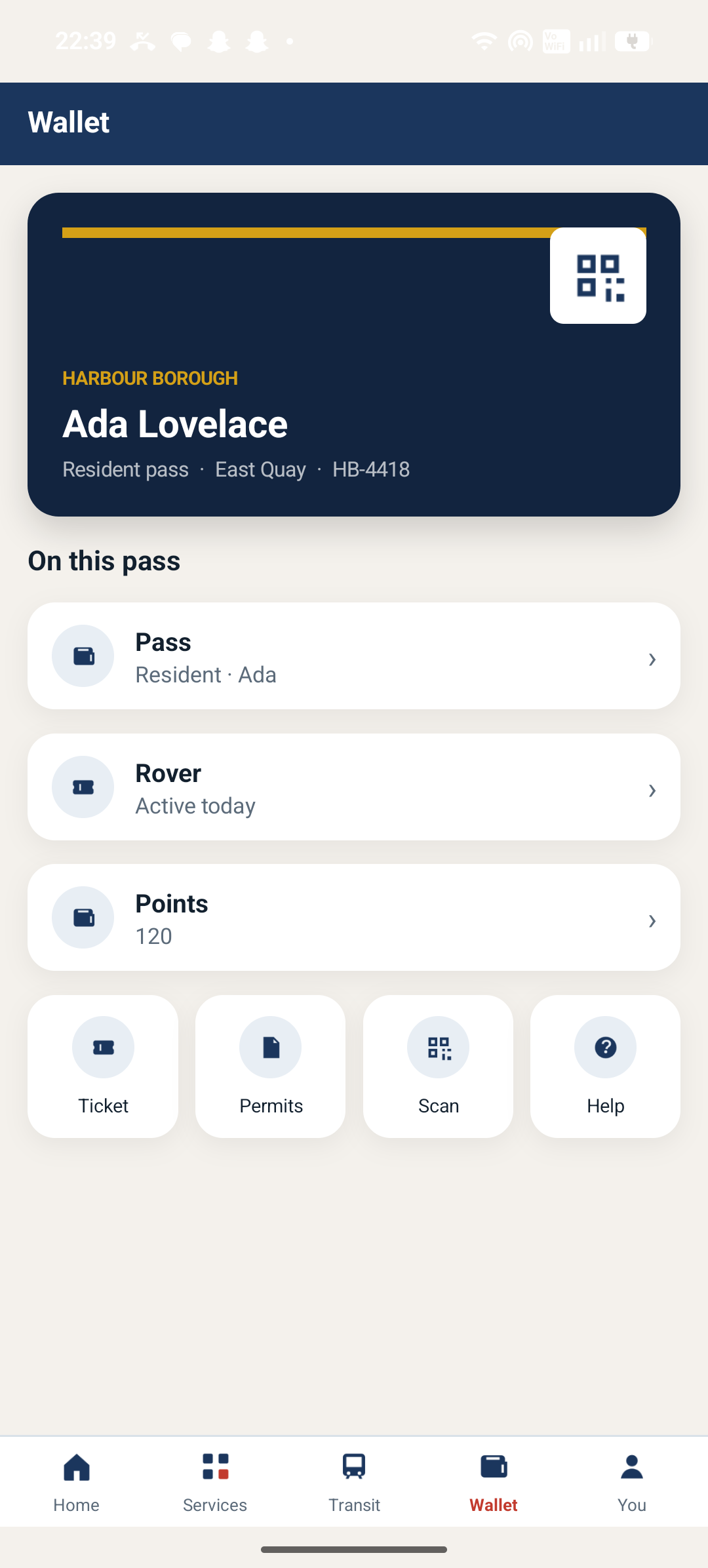
Harbour borough today: bin day, Bus 12, a night market, a missed-waste request, and a day-rover QR in the wallet. Councils, libraries, and permits share one resident pass. Built to show a civic desk can live on the same Lumina tokens as a bank or a clinic.

View source
  • 311-style open requests
  • Live-looking transit board
  • Civic wallet and rover
  • Events, news, and permits
  • Civic Pulse resident pass sign-in for Harbour borough
    Sign in
  • Civic Pulse home with bin day, Bus 12, and borough services
    Home
  • Civic Pulse services desk with open bins and pothole tickets
    Services
  • Civic Pulse live transit board at Harbour Walk
    Transit
  • Civic Pulse resident pass, rover, and points wallet
    Wallet
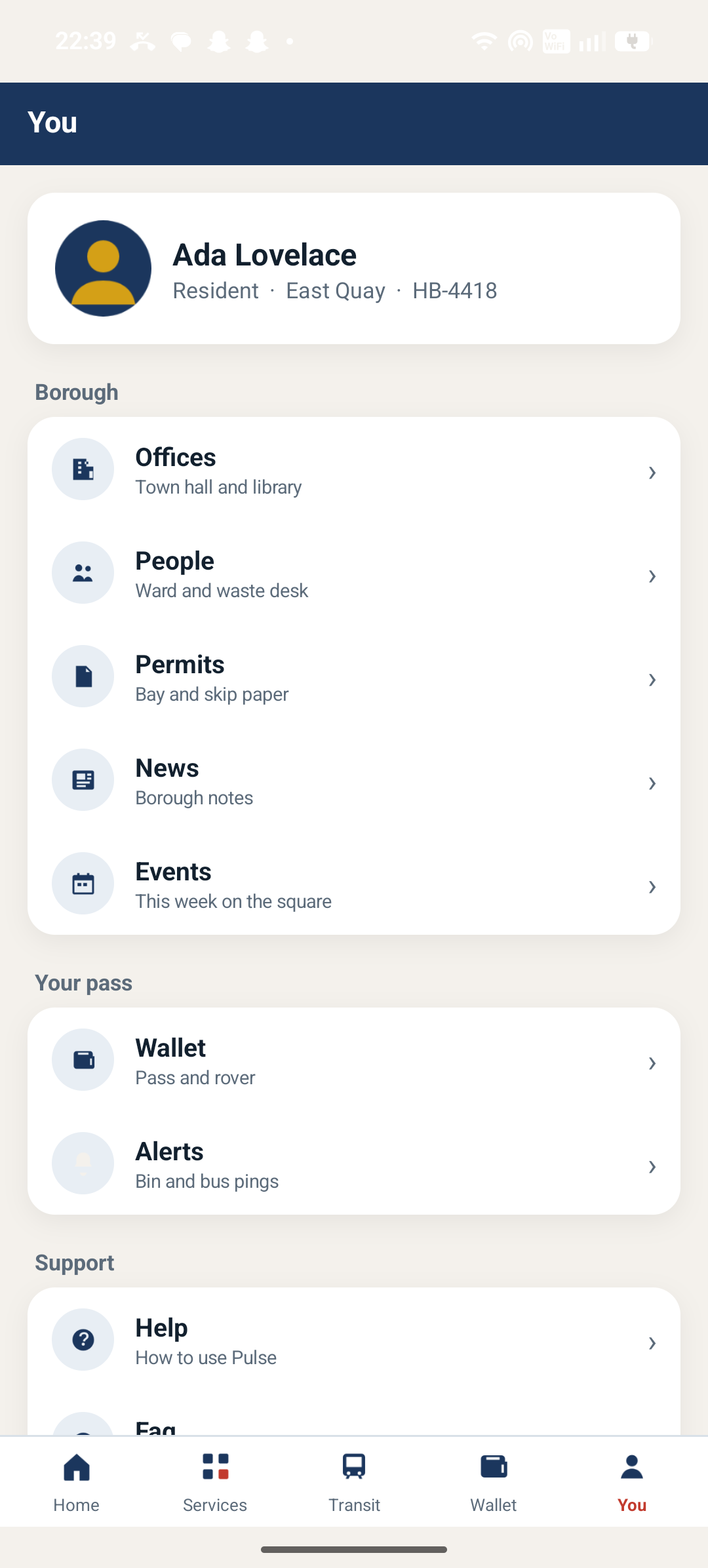
  • Civic Pulse resident profile, offices, and alerts
    You

Your use case

Have a product in mind? Start from a prototype — or propose the next one

If you have a specific use case, use the ecosystem prototype that is closest — bank, clinic, civic, field, or market — then compose the plugins you need. Contributors can share a new idea with the community in the same repo.

Open a Discussion with the flow you want to ship, or file an Issue for a gap. Lumina Playground stays a public repo space so real-time examples and community ideas land in the open.

Stay close

Discussions, issues, LinkedIn, and Discord

Share ideas with the open-source community in the repo. Join LinkedIn and Discord for lab updates.

Next step

Read the paper, or compose a set

The playground is the repo space. The white paper is the map. The catalog is what you install.